
The Power of Automation
Power Automate transforms SharePoint from a document repository into an intelligent business platform. These workflow templates will jumpstart your automation journey.
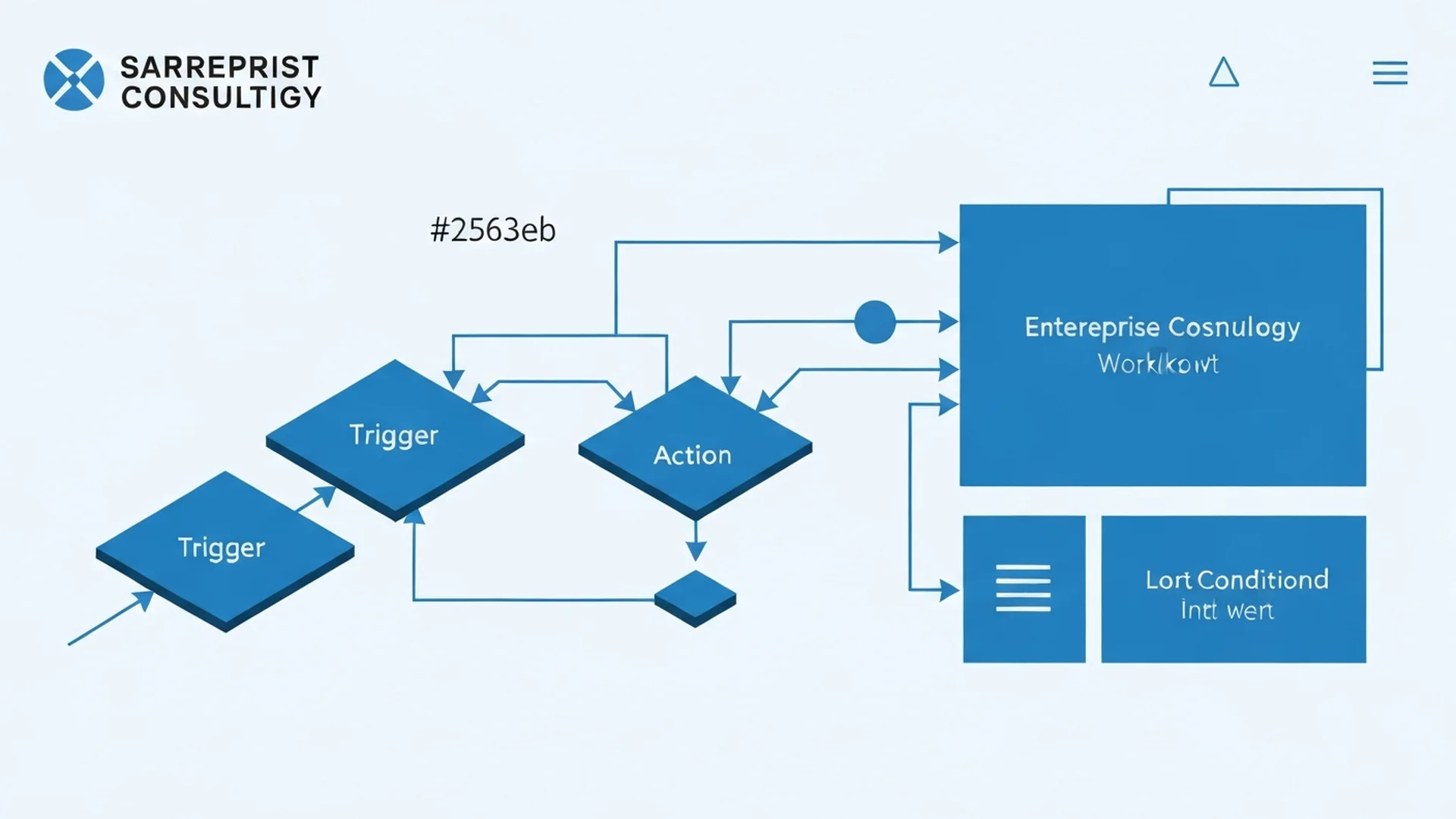
Document Management Workflows
1. Document Approval Workflow
Automate document review and approval:
Trigger: New document added to library
Actions:
- Extract metadata
- Route to appropriate approver
- Send approval request
- Update status on approval/rejection
- Notify document owner
2. Version Control Notifications
Keep stakeholders informed:
Trigger: Document modified
Actions:
- Check if major version
- Identify subscribers
- Send summary of changes
- Include link to document
3. Metadata Auto-Classification
Automatically tag documents:
Trigger: Document created
Actions:
- Analyze document content (AI Builder)
- Extract entities (dates, names, topics)
- Populate metadata columns
- Apply sensitivity label
4. Document Expiration Management
Manage document lifecycle:
Trigger: Scheduled (daily)
Actions:
- Query documents near expiration
- Notify document owners
- Generate expiration report
- Archive/delete expired items
5. PDF Conversion Workflow
Convert documents to PDF:
Trigger: New document in specific folder
Actions:
- Convert to PDF
- Move to archive library
- Update original with PDF link
- Notify requester
Approval Workflows
6. Multi-Stage Approval
Complex approval routing:
Trigger: Approval requested
Actions:
- Stage 1: Manager approval
- Stage 2: Department head
- Stage 3: Finance (if over threshold)
- Stage 4: Legal (if required)
- Final notification
7. Parallel Approval
Get multiple approvals simultaneously:
Trigger: Item submitted
Actions:
- Send to all approvers
- Wait for all responses
- Aggregate results
- Proceed if all approve
8. Delegation Management
Handle absent approvers:
Trigger: Approval pending > 2 days
Actions:
- Check approver's out-of-office
- Identify delegate
- Forward approval request
- Notify original approver
Notification Workflows
9. New Employee Onboarding
Welcome new team members:
Trigger: New item in employee list
Actions:
- Create user folder
- Grant permissions
- Send welcome email
- Create onboarding tasks
- Schedule orientation
10. Meeting Notes Distribution
Share meeting outcomes:
Trigger: Meeting notes published
Actions:
- Extract attendee list
- Format summary
- Send email with highlights
- Create follow-up tasks
11. Site Activity Digest
Weekly activity summary:
Trigger: Scheduled (weekly)
Actions:
- Aggregate site activity
- Count new documents
- List recent updates
- Send digest email
Data Integration Workflows
12. SharePoint to Dynamics 365
Sync customer information:
Trigger: SharePoint list item created
Actions:
- Map fields to Dynamics
- Create/update contact
- Log sync activity
- Handle errors
13. Excel Data Import
Automate data entry:
Trigger: Excel file uploaded
Actions:
- Parse Excel content
- Validate data
- Create list items
- Generate import report
14. External System Integration
Connect to external APIs:
Trigger: SharePoint item updated
Actions:
- Prepare API request
- Send to external system
- Handle response
- Update SharePoint status
Content Management Workflows
15. Content Review Reminder
Ensure content freshness:
Trigger: Scheduled (monthly)
Actions:
- Query items not reviewed in 6 months
- Send review request to owners
- Track review completion
- Escalate overdue reviews
16. Broken Link Detection
Maintain link integrity:
Trigger: Scheduled (weekly)
Actions:
- Scan site for links
- Test each link
- Report broken links
- Notify site owners
17. Image Optimization
Optimize uploaded images:
Trigger: Image uploaded
Actions:
- Compress image
- Generate thumbnails
- Update metadata
- Replace original
Security Workflows
18. Permission Change Alerts
Monitor access changes:
Trigger: Permission modified
Actions:
- Capture change details
- Notify site admin
- Log to audit list
- Alert if sensitive site
19. External Sharing Approval
Control external access:
Trigger: External share requested
Actions:
- Verify business justification
- Route to security team
- Apply time-limited access
- Schedule access review
20. Guest Access Cleanup
Manage guest lifecycle:
Trigger: Scheduled (monthly)
Actions:
- Identify inactive guests
- Send re-verification request
- Remove non-responsive guests
- Generate cleanup report
Project Management Workflows
21. Project Status Updates
Automate status reporting:
Trigger: Scheduled (weekly)
Actions:
- Aggregate task status
- Calculate completion percentage
- Generate status report
- Email stakeholders
22. Task Assignment Notification
Alert on new assignments:
Trigger: Task assigned
Actions:
- Notify assignee
- Add to their task list
- Create calendar reminder
- Send to manager
23. Project Completion Workflow
Close projects properly:
Trigger: Project marked complete
Actions:
- Archive project documents
- Generate final report
- Notify stakeholders
- Update portfolio list
HR Workflows
24. Leave Request Processing
Automate time-off requests:
Trigger: Leave request submitted
Actions:
- Route to manager
- Check leave balance
- Update calendar
- Notify HR
25. Performance Review Cycle
Manage review process:
Trigger: Review cycle started
Actions:
- Create review documents
- Assign to managers
- Track completion
- Send reminders
Implementation Tips
- Start Simple: Begin with high-value, low-complexity flows
- Test Thoroughly: Use test environments
- Handle Errors: Plan for failures
- Document Everything: Maintain flow documentation
- Monitor Performance: Track flow runs
Conclusion
Power Automate transforms SharePoint into an intelligent business platform. These templates provide a starting point for your automation journey.
Need help implementing these workflows? Our automation experts can customize these templates for your specific needs.
Enterprise Implementation Best Practices
In our 25+ years managing enterprise SharePoint environments, workflow automation has consistently delivered the highest measurable ROI of any SharePoint investment. Organizations that approach Power Automate systematically rather than ad hoc achieve dramatically better outcomes.
- Establish a Flow Development Lifecycle: Treat Power Automate flows as production software with a proper development lifecycle. Create separate development, testing, and production environments using Power Platform solutions. Require peer review for all flows before production deployment. Implement version control through solution export and documentation. This discipline prevents the proliferation of untested, undocumented flows that become impossible to maintain as their creators move on.
- Build Reusable Components with Child Flows: Identify common actions that appear across multiple workflows such as sending formatted notifications, updating audit logs, or performing manager lookups. Extract these into child flows that can be called from any parent flow. Reusable components reduce development time, ensure consistency, and simplify maintenance when common processes change. A single update to a child flow propagates to every workflow that calls it.
- Implement Comprehensive Error Handling: Every production flow must include try-catch-finally patterns that handle failures gracefully. Configure error notification actions that alert flow owners when runs fail. Implement retry logic for transient failures such as throttling responses or temporary service unavailability. Log all flow executions including successful runs, failures, and retries to a dedicated SharePoint list or Dataverse table for monitoring and troubleshooting.
- Design for SharePoint Throttling Limits: Power Automate flows that make rapid successive calls to SharePoint will encounter throttling. Design flows to batch operations, implement delays between high-volume operations, and use pagination for queries that return large result sets. For flows processing hundreds or thousands of items, implement queue-based patterns where items are added to a processing queue and consumed at a sustainable rate rather than processed in rapid sequence.
- Create a Flow Governance Framework: Establish policies governing who can create flows, what connectors are available, what data flows can access, and how flows are documented and maintained. Use Power Platform data loss prevention policies to prevent flows from connecting sensitive SharePoint data to unauthorized external services. Require all production flows to be owned by service accounts rather than individual users to prevent disruption when employees leave the organization through SharePoint consulting governance programs.
Governance and Compliance Considerations
Power Automate workflows that process business data in SharePoint are subject to the same governance and compliance requirements as any system that handles organizational information. Automated workflows can amplify both productivity and risk at scale.
For HIPAA-regulated organizations, workflows that process documents containing PHI must include audit logging of every action taken, ensure that data flows only to authorized systems and users, and maintain encryption in transit for any data moved between services. Configure the Power Platform audit log to capture all flow executions involving PHI libraries, and include Power Automate in your regular HIPAA security assessments.
Financial services organizations must ensure that automated workflows do not bypass required human approvals for regulated transactions. Approval flows must enforce separation of duties, maintain approval records that satisfy SEC and FINRA retention requirements, and prevent self-approval patterns. Configure flow analytics that demonstrate approval workflows are functioning as designed for compliance audits.
Data loss prevention is critical when Power Automate connects SharePoint to external services. A flow that copies SharePoint document content to a third-party cloud service could violate data residency requirements, circumvent DLP policies, or expose sensitive content to unauthorized platforms. Implement strict connector policies that limit external service connections to approved services and configure SharePoint support monitoring to detect unauthorized data movement patterns.
Measuring Success and ROI
Power Automate ROI is among the easiest to quantify in the SharePoint ecosystem because automation directly replaces measurable manual labor with automated processing.
Track total flow runs per month across your organization as a measure of automation adoption targeting continuous growth. Measure time saved per flow by comparing automated process duration against previous manual process duration for each workflow. Calculate cost savings by multiplying hours saved per month by average fully loaded labor costs across all automated workflows. Monitor flow success rates targeting 98 percent or higher successful completions for production flows. Track the number of production flows per department to measure automation adoption breadth. Monitor error resolution time targeting detection within 5 minutes through automated alerting and resolution within 2 hours for critical business flows. Survey business process owners quarterly on satisfaction with automated workflows targeting 4.0 or higher on a 5-point scale.
Accelerate your SharePoint automation journey with expert workflow design. Contact our team for a workflow automation assessment and discover how our SharePoint consulting services can transform your manual processes into intelligent automated workflows.
Common Challenges and Solutions
Organizations implementing Power Automate + SharePoint consistently encounter obstacles that, if left unaddressed, undermine adoption and erode stakeholder confidence. Drawing on two decades of enterprise SharePoint consulting, these are the challenges we see most frequently and the proven approaches for overcoming them.
Challenge 1: Inconsistent Governance Across Business Units
When different departments implement Power Automate + SharePoint independently, inconsistent naming conventions, metadata schemas, and security configurations create silos that undermine cross-functional collaboration and complicate compliance reporting. The resolution requires a structured approach: centralizing governance policy definition while allowing controlled flexibility at the departmental level. A hub-and-spoke governance model balances enterprise consistency with departmental autonomy. Organizations that address this proactively report 40 to 60 percent fewer support tickets within the first 90 days of deployment. Establishing a dedicated governance committee with representatives from IT, compliance, and business stakeholders ensures ongoing alignment between technical configuration and organizational objectives.
Challenge 2: Migration and Legacy Content Complexity
Organizations transitioning legacy content into Power Automate + SharePoint often underestimate the complexity of mapping old structures, metadata, and permissions to modern architectures. Failed migrations erode user confidence and create parallel systems that duplicate effort. We recommend conducting thorough pre-migration content audits that classify and prioritize content based on business value. Invest in automated migration tools that preserve metadata fidelity and permission integrity while providing detailed validation reports. Tracking these metrics through SharePoint health dashboards provides early warning indicators that allow administrators to intervene before minor issues become systemic problems affecting enterprise-wide productivity.
Challenge 3: Permission and Access Sprawl
As Power Automate + SharePoint scales across departments, permission structures inevitably become more complex. Without active governance, permission inheritance breaks down, sharing links proliferate, and sensitive content becomes accessible to unintended audiences. The most effective mitigation strategy involves implementing quarterly access reviews using the SharePoint Admin Center combined with automated reports that flag permission anomalies. Establish a principle of least privilege as the default and require documented justification for elevated access grants. Enterprises operating in regulated industries such as healthcare and financial services must pay particular attention to this challenge because compliance violations carry significant financial and reputational consequences. Regular audits conducted quarterly at minimum help organizations maintain alignment with evolving regulatory requirements and internal policy updates.
Challenge 4: Performance and Scalability Bottlenecks
Large-scale Power Automate + SharePoint deployments frequently encounter performance issues as content volumes grow beyond initial design parameters. Large lists, deeply nested folder structures, and poorly optimized custom solutions contribute to slow page loads and frustrated users. Addressing this requires conducting regular performance audits that identify bottlenecks before they impact user experience. Implement list view thresholds, indexed columns, and pagination strategies that maintain responsive performance at enterprise scale. Organizations that invest in structured change management programs achieve adoption rates 35 percent higher than those relying on organic discovery alone. Executive sponsorship combined with department-level champions creates the organizational momentum necessary for sustained success.
Integration with Microsoft 365 Ecosystem
Power Automate + SharePoint does not operate in isolation. Its value multiplies when connected to the broader Microsoft 365 ecosystem, creating unified workflows that eliminate context switching and reduce manual data transfer between applications.
Microsoft Teams Integration: Power Automate + SharePoint content surfaces directly in Teams channels through embedded tabs and adaptive cards, giving team members instant access to relevant documents and dashboards without leaving their collaborative workspace. Teams channels automatically provision SharePoint document libraries, which means power automate + sharepoint configurations and content flow seamlessly between collaborative conversations and structured document management. Users can surface SharePoint content directly within Teams tabs, reducing the friction that typically causes adoption to stall.
Power Automate Workflows: Build approval workflows that route Power Automate + SharePoint content through structured review chains, automatically notifying approvers and escalating overdue items to maintain process velocity. Automated workflows triggered by SharePoint events such as document uploads, metadata changes, or approval completions eliminate repetitive manual tasks. Organizations typically automate 15 to 25 processes within the first quarter, saving an average of 8 hours per week per department. These automations also create audit trails that satisfy compliance requirements for regulated industries.
Power BI Analytics: Visualize Power Automate + SharePoint usage patterns and adoption metrics through Power BI dashboards that update automatically, giving leadership real-time visibility into platform health and user engagement. Connecting SharePoint data to Power BI dashboards provides real-time visibility into content usage patterns, adoption metrics, and operational KPIs. Decision makers gain actionable intelligence without requiring manual report generation, enabling faster response to emerging trends and potential issues.
Microsoft Purview and Compliance: Apply sensitivity labels to Power Automate + SharePoint content automatically based on classification rules, ensuring that confidential and regulated information receives appropriate protection throughout its lifecycle. Sensitivity labels, data loss prevention policies, and retention schedules configured in Microsoft Purview extend automatically to power automate + sharepoint content. This unified compliance framework ensures that governance policies apply consistently across the entire Microsoft 365 environment rather than requiring separate configuration for each workload. For organizations subject to HIPAA, SOC 2, or FedRAMP requirements, this integrated approach significantly reduces compliance management overhead.
Getting Started: Next Steps
Implementing Power Automate + SharePoint effectively requires more than technical configuration. It demands a strategic approach grounded in your organization's specific business requirements, compliance obligations, and growth trajectory. The difference between a deployment that delivers measurable ROI and one that becomes shelfware often comes down to the quality of upfront planning and expert guidance.
Begin with a focused assessment of your current SharePoint environment. Evaluate your existing information architecture, permission structures, content lifecycle policies, and user adoption patterns. Identify gaps between your current state and the target state required for successful power automate + sharepoint implementation. This assessment typically takes 2 to 4 weeks and produces a prioritized roadmap that aligns technical work with business outcomes.
Our SharePoint specialists have guided organizations across healthcare, financial services, government, and education through hundreds of successful implementations. We bring deep expertise in SharePoint architecture, governance frameworks, and compliance alignment that accelerates time to value while minimizing risk.
Ready to move forward? Contact our team for a complimentary consultation. We will assess your environment, identify quick wins, and develop a phased implementation plan tailored to your organization's needs and timeline. Whether you are starting from scratch or optimizing an existing deployment, our enterprise SharePoint consultants deliver the expertise and accountability that Fortune 500 organizations demand.
Written by the SharePoint Support Team
Senior SharePoint Consultants | 25+ Years Microsoft Ecosystem Experience
Our senior SharePoint consultants bring deep expertise spanning 500+ enterprise migrations and compliance implementations across HIPAA, SOC 2, and FedRAMP environments. We cover SharePoint Online, Microsoft 365, migrations, Copilot readiness, and large-scale governance.
Expert SharePoint Services
Frequently Asked Questions
What SharePoint workflows can be automated with Power Automate?▼
Is Power Automate included with SharePoint Online licensing?▼
How do we migrate legacy SharePoint 2013 workflows to Power Automate?▼
What are the performance limits of Power Automate with SharePoint?▼
How do we apply consistent branding across all SharePoint sites?▼
Need Expert Help?
Our SharePoint consultants are ready to help you implement these strategies in your organization.
Continue Reading in Automation
Building Approval Workflows in SharePoint
Learn how to create effective approval workflows in SharePoint using Power Automate, from simple single-approver flows to complex multi-stage approval processes.
AutomationSharePoint + Power Automate: Complete Workflow...
Complete guide to building Power Automate workflows with SharePoint. Covers document approval flows, list item triggers, automated notifications, Teams integration, and migrating from classic SharePoint workflows.
AutomationPower Automate + SharePoint: 30 Workflow Automation Ideas
30 production-ready Power Automate workflows for SharePoint — from document approvals and metadata tagging to compliance monitoring and employee onboarding.
AutomationSharePoint + Power Automate Workflow Guide for 2026
Build enterprise workflows connecting SharePoint and Power Automate. Covers approval flows, document automation, notification systems, and advanced patterns with HTTP actions and expressions.
AutomationSharePoint Workflows with Power Automate
Migrate legacy SharePoint workflows to Power Automate and build modern automation. Covers approval flows, document routing, and enterprise workflow patterns.
AutomationPower Automate Agent Flows for SharePoint Approvals
Power Automate 2026 wave 1 introduces agent nodes inside cloud flows — hybrid deterministic-plus-reasoning for SharePoint approvals. Here is the reference architecture, three anti-patterns, and a governance checklist.