We get asked twice a month for our RFP template. Enterprises evaluating SharePoint consulting vendors, whether for a one-time migration or an ongoing managed services relationship, need a way to differentiate between the fifteen firms that responded to the LinkedIn post and the two firms actually capable of executing. Bad RFPs get bad responses — vague requirements produce vague proposals, and everyone loses six weeks in evaluation.
This is the 45-question template our team has refined over eight years of watching enterprise procurement processes. It is organized into 8 evaluation categories, each question includes what a strong answer looks like and what a red flag looks like, and the whole thing is designed to be sent as-is to shortlisted vendors. We share it openly because a well-run procurement produces better outcomes for everyone — including us when we bid on the ones we can genuinely win.
How to use this template
Three practical notes before you copy-paste:
- Score each question 0-3. 0 = no answer or clearly wrong, 1 = partial, 2 = strong, 3 = exceptional. Total possible: 135 points. Any vendor below 90 is unlikely to succeed in an enterprise environment.
- Weight regulatory questions 2x if you are in banking, healthcare, insurance, or government. A perfect firm background score does not compensate for shallow HIPAA experience.
- Reject vague answers. "We have extensive experience" is a red flag. "We have completed 14 tenant-to-tenant migrations in the last 24 months, averaging 3,200 users, with a median downtime of 3 hours" is a strong answer.
Category 1 — Firm background (5 questions)
Q1. How many years has your firm operated as a SharePoint consultancy?
- Strong: Specific year founded, continuous SharePoint practice, clear ownership history.
- Red flag: Founded within the last 18 months, or SharePoint added as a service line last year to capitalize on Copilot demand.
Q2. How many SharePoint consultants do you employ full-time, and what percentage are based in your primary delivery country?
- Strong: Specific headcount with named practice leadership. Majority onshore for the buyer's primary region.
- Red flag: Refuses to give a number, or reveals a small onshore team fronting a large offshore team without disclosing the model.
Q3. What percentage of your revenue comes from SharePoint and adjacent Microsoft 365 services versus other lines of business?
- Strong: 60% or higher — SharePoint is a core practice, not a side hustle.
- Red flag: Under 20% — SharePoint is an occasional add-on to their main practice (often Salesforce or ServiceNow).
Q4. Provide 3 client references with contact information for engagements of similar scope completed in the last 24 months.
- Strong: Three specific names willing to talk on a scheduled call, at least two from your industry.
- Red flag: References who cannot be reached, or a request to submit questions in writing to be reviewed by the vendor first.
Q5. What is your firm's plan for continuity if your primary SharePoint practice lead leaves?
- Strong: Multiple senior consultants at similar depth, documented knowledge transfer processes, engagement continuity clause in contracts.
- Red flag: One named "senior consultant" who is clearly the whole practice.
Category 2 — Certifications and methodology (6 questions)
Q6. List current Microsoft certifications held by consultants who will staff this engagement, by consultant name.
- Strong: MS-102, MS-700, SC-400, AZ-104 as a minimum for lead consultants; specific certification IDs.
- Red flag: Firm-level certifications only, no per-consultant detail.
Q7. What is your delivery methodology for a SharePoint engagement of this scope?
- Strong: Named methodology with phase gates, deliverables, and estimated durations. References prior engagements where it was executed.
- Red flag: "Agile" as the entire answer, or a methodology invented for the response.
Q8. Provide a sample statement of work from a comparable engagement (redacted for client confidentiality).
- Strong: Actual SOW with deliverables, acceptance criteria, and pricing model visible.
- Red flag: Refusal, or a marketing brochure disguised as an SOW.
Q9. What percentage of your consultants have completed Microsoft's Copilot Studio or Solutions Architect training in the last 12 months?
- Strong: 70% or higher — the practice is investing in Copilot capability.
- Red flag: Under 20% — consultants are working on 2022 knowledge.
Q10. Describe your quality assurance process for consultant work products.
- Strong: Named senior reviewer, documented peer review requirement, sample QA report available.
- Red flag: "The consultant reviews their own work."
Q11. How do you keep consultants current on Microsoft product changes?
- Strong: Monthly internal enablement sessions, dedicated learning time budget, tracked certification renewals.
- Red flag: "Consultants stay current on their own time."
Category 3 — Delivery model (5 questions)
Q12. What is your consultant-to-project-manager ratio, and who owns delivery accountability?
- Strong: Named PM per engagement, ratio of 4-6 consultants per PM, PM has decision authority.
- Red flag: No dedicated PM; "the lead consultant manages the project."
Q13. What is your on-site versus remote delivery model?
- Strong: Flexible based on client preference, with named lead consultants available on-site for critical phases.
- Red flag: 100% remote with no on-site option, or 100% on-site with no remote flexibility.
Q14. What is the escalation path if delivery falls behind schedule?
- Strong: Named escalation contacts at each level, defined trigger criteria, response SLA.
- Red flag: "We will meet with the client to discuss."
Q15. What is your model for knowledge transfer to the client team at engagement end?
- Strong: Documented KT plan with named recipients, hands-on shadowing, runbooks, formal signoff process.
- Red flag: "We provide documentation at the end."
Q16. Describe how you handle scope changes during a fixed-fee engagement.
- Strong: Change request process with impact assessment, transparent pricing, client approval required.
- Red flag: "We do not do fixed-fee" or "We handle it as it comes up."
Category 4 — Migration methodology (6 questions)
Q17. How many SharePoint tenant-to-tenant migrations has your firm completed in the last 24 months, and what is your average user count per migration?
- Strong: Specific numbers, examples from your industry.
- Red flag: Vague answer, or numbers that clearly include OneDrive-only migrations sold as tenant migrations.
Q18. What migration tooling do you use and why?
- Strong: Named tool (ShareGate, Migration Manager, AvePoint), with rationale for tenant-to-tenant versus on-prem-to-online scenarios.
- Red flag: "We use whatever the client prefers" — indicates no depth in any tool.
Q19. Describe your approach to pre-migration content assessment.
- Strong: Named process, tooling, deliverables (usually a content assessment report with library counts, size distribution, permission complexity, orphaned content, ancient content).
- Red flag: "We start migration and address issues as they come up."
Q20. What is your typical downtime commitment for a tenant-to-tenant cutover, and how do you achieve it?
- Strong: Specific hours, staged migration approach, delta-sync process for cutover, tested rollback plan.
- Red flag: "Downtime depends on the environment" as the whole answer.
Q21. How do you handle sensitivity labels and retention labels during migration?
- Strong: Detailed process for label preservation, testing in a pilot batch first, validation report post-migration.
- Red flag: "Labels are handled by the tool automatically."
Q22. Provide a case study of a migration that ran into serious problems and how you resolved it.
- Strong: Honest description of a real problem, root cause analysis, resolution, lessons learned.
- Red flag: "We have not had any serious problems." (Everyone has had serious problems.)
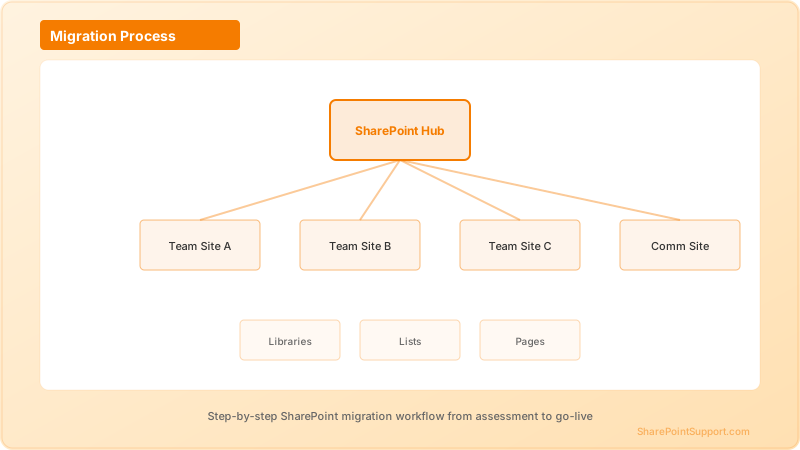
Our team documents migration methodology publicly on our SharePoint migration service page — this is the level of specificity a strong RFP response should include.
Category 5 — Copilot and AI readiness (5 questions)
Q23. How many SharePoint Copilot Agents deployments has your firm completed, and what is your average per-user monthly cost outcome?
- Strong: Specific numbers, cost outcomes with governance controls in place.
- Red flag: "We have not had cost issues" — indicates no measurement.
Q24. Describe your Copilot governance framework.
- Strong: Named framework with sensitivity labeling requirements, oversharing audit process, RCD configuration, per-agent quotas, lifecycle policy.
- Red flag: Copilot governance is a bullet in a slide.
Q25. How do you conduct oversharing audits before enabling Copilot on a tenant?
- Strong: Named process, PowerShell scripts, remediation methodology, timeline commitment.
- Red flag: "Microsoft handles oversharing automatically."
Q26. What is your process for cost forecasting SharePoint Copilot Agents at the tenant level?
- Strong: Named cost model, per-user assumptions, autonomous agent line items, sensitivity analysis at multiple usage levels.
- Red flag: "The Microsoft calculator gives you a per-user estimate."
Q27. Provide a redacted governance charter from a prior Copilot Agents deployment.
- Strong: Actual document showing decisions on publishing authority, cost ceilings, RCD sites, sunset policy.
- Red flag: Refusal, or a generic template with no evidence of client use.
Our SharePoint Copilot service documents our specific framework — RFP responses should be at least this specific.
Category 6 — Compliance experience (6 questions)
Q28. Describe SharePoint deployments you have completed in [our industry].
- Strong: Three or more specific case studies with named regulations addressed.
- Red flag: Generic "we have healthcare experience" without specific engagements.
Q29. What is your experience with Purview retention labels and event-based retention?
- Strong: Named deployments, specific integrations built (contract lifecycle, HRIS), regulatory records configurations.
- Red flag: Purview experience described as "we have used it."
Q30. How do you handle sensitivity labeling deployment for a regulated tenant?
- Strong: Auto-labeling policy design process, sensitive-info-type customization, simulation-before-enforce methodology, coverage targets.
- Red flag: "We enable Microsoft's default labels."
Q31. Describe your experience with SEC 17a-4, HIPAA, SOX ITGC, GDPR, or [applicable regulation].
- Strong: Specific control mappings, deployment case studies, compliance audit outcomes.
- Red flag: Regulations named in a marketing bullet with no evidence of deep configuration work.
Q32. What is your data residency approach for [applicable jurisdiction]?
- Strong: Multi-geo configuration experience, specific regions supported, data movement controls, compliance evidence.
- Red flag: "SharePoint is cloud so data residency is handled by Microsoft."
Q33. How do you handle legal hold and eDiscovery for enterprise clients?
- Strong: Purview eDiscovery Premium experience, case management workflows, litigation hold procedures, chain of custody documentation.
- Red flag: eDiscovery treated as an admin task.
Category 7 — Support SLAs (6 questions)
Q34. What is your response time SLA for a P1 (production down) issue?
- Strong: 15 minutes or less, with paged on-call rotation, escalation to named senior consultant within 1 hour.
- Red flag: "Within business hours" or "same-day."
Q35. What is your resolution time SLA for a P1 issue?
- Strong: 4 hours target with mitigation, workaround if resolution requires Microsoft support ticket, transparent status updates every 30 minutes.
- Red flag: Resolution time not committed to, or entirely dependent on Microsoft.
Q36. Describe your on-call rotation and staffing model.
- Strong: 24x7 coverage with named senior consultants, primary and secondary rotation, paged escalation, documented handoff procedures.
- Red flag: "Business hours only" or "we respond as fast as we can."
Q37. What is your process for major incidents (data loss, tenant outage, ransomware)?
- Strong: Incident response runbook, named incident commander role, Microsoft Premier support engagement process, executive communication cadence.
- Red flag: "We handle major incidents on a case-by-case basis."
Q38. How do you handle after-hours emergencies during a live migration?
- Strong: Named on-call migration team, dedicated hotline, migration rollback procedures, decision authority defined.
- Red flag: After-hours coverage costs extra or is not available.
Q39. What is your average customer satisfaction score, and how is it measured?
- Strong: NPS or CSAT with actual number, measurement methodology, response rate.
- Red flag: "Our clients are very satisfied" without a number.
Our team publishes SLA specifics on our SharePoint support page and emergency support page — RFP responses should match this level of specificity.
Category 8 — Pricing model (6 questions)
Q40. What is your pricing model for this engagement (fixed fee, time-and-materials, hybrid)?
- Strong: Clear recommendation with rationale, willingness to discuss alternatives.
- Red flag: T&M only with no cap, or fixed fee with vague scope.
Q41. Provide a pricing breakdown by phase for the scope described.
- Strong: Phase-by-phase pricing with deliverables mapped, assumptions listed, dependencies noted.
- Red flag: Single total number with no breakdown.
Q42. What is included in "consultant rate" versus billed separately (travel, tools, licenses)?
- Strong: All-in transparent pricing or line-item disclosure of what is separate.
- Red flag: "We will discuss during contracting" — usually means expense surprises later.
Q43. What is your rate card for consultant levels, and when do rates escalate?
- Strong: Published rate card, contractually locked for engagement duration or with defined escalation terms.
- Red flag: Rates escalate quarterly with no cap.
Q44. Describe your payment terms and any invoicing requirements.
- Strong: Net-30 or better, milestone-based invoicing, willingness to negotiate.
- Red flag: Payment upfront, or net-7 with no negotiation.
Q45. What is your cancellation policy if delivery is not meeting expectations?
- Strong: 30-day notice, prorated cancellation, no early termination fee for cause.
- Red flag: Long-term commitment with no exit clause, or high early termination fee.
Scoring interpretation
- 120-135: Exceptional response. Advance to reference calls and final round.
- 90-119: Strong response. Advance with clarifying questions on weaker categories.
- 60-89: Adequate response but with material gaps. Advance only if pricing is compelling and gaps are addressable.
- Below 60: Do not advance. Response reveals gaps that cannot be closed in negotiation.
What most enterprises get wrong in RFPs
Three patterns we see:
- Weighted scoring done in Excel by someone who was not in the vendor calls. The scoring rubric works only if the person doing the scoring evaluated the responses in context.
- No reference calls before award. References are the single most predictive signal in the entire process. Skipping them to save time is how enterprises end up with vendors whose case studies are exaggerated.
- Awarding on price when responses are close on capability. The price difference between the $180,000 firm and the $240,000 firm is one senior consultant month. That is not what a $2M enterprise deployment turns on.
Expert help from our SharePoint consultants
We offer this RFP template as a downloadable checklist to our consultation prospects — reach out through our SharePoint consulting service or contact us and we will send a formatted copy along with our own answers to all 45 questions. Whether or not you decide to include us in your RFP, we would rather help you run a strong procurement than watch enterprises get burned by vague responses and vendor overpromising.
Written by the SharePoint Support Team
Senior SharePoint Consultants | 25+ Years Microsoft Ecosystem Experience
Our senior SharePoint consultants bring deep expertise spanning 500+ enterprise migrations and compliance implementations across HIPAA, SOC 2, and FedRAMP environments. We cover SharePoint Online, Microsoft 365, migrations, Copilot readiness, and large-scale governance.
Expert SharePoint Services
Frequently Asked Questions
How long should the RFP evaluation window be for a SharePoint consulting engagement?▼
Should we send this RFP template to five vendors or fifty?▼
What is the biggest red flag in RFP responses?▼
How much should we weight price versus capability?▼
Should we require Microsoft partner status?▼
Can we use this template for a SharePoint managed services RFP instead of a project?▼
How do we handle vendors that decline to answer specific questions?▼
Need Expert Help?
Our SharePoint consultants are ready to help you implement these strategies in your organization.
Continue Reading in Strategy
SharePoint vs Confluence: The Enterprise Decision Guide...
Detailed SharePoint vs Confluence comparison for enterprise IT leaders. Covers total cost, Microsoft 365 integration, compliance, AI features, and migration paths. Includes a decision framework to choose the right platform.
StrategySharePoint User Adoption: The Enterprise Strategy That...
Why SharePoint implementations fail due to poor adoption — and the proven strategy to fix it. Covers change management, champion networks, training programs, and metrics to measure adoption success.
StrategySharePoint Licensing Plans Compared: 2026 Guide
Complete guide to SharePoint licensing in Microsoft 365. Compares SharePoint Plan 1, Plan 2, Microsoft 365 Business, E3, E5, SharePoint Premium, and Copilot licensing. Includes cost breakdown and decision framework for IT buyers.
StrategySharePoint vs Google Drive: Which Should You Choose in 2026?
Detailed comparison of Microsoft SharePoint vs Google Drive for enterprise use. Covers file storage, collaboration, permissions, compliance, Teams/Workspace integration, migration, and total cost of ownership.
StrategySharePoint for Remote and Hybrid Work: Complete Setup...
How to configure SharePoint Online and Microsoft 365 for remote and hybrid work. Covers virtual intranet design, async collaboration, security for remote access, Teams integration, and employee experience.
StrategySharePoint for Remote Teams: Distributed Workforce
Optimize SharePoint for remote and hybrid teams. Learn how to structure team sites, enable async collaboration, configure Viva Connections for home workers, integrate with Teams, and measure engagement for distributed employees.