What SharePoint Content Types Are and How to Use Them
SharePoint content types define reusable sets of metadata columns, workflows, policies, and templates that standardize how specific categories of content are created and managed across your entire SharePoint environment. Content types are one of SharePoint's most powerful governance features, enabling organizations to enforce consistent classification, retention, and handling of documents regardless of which site or library stores them.

In our 25+ years of designing SharePoint information architectures for enterprise organizations, we have found that content types are the foundation of scalable document management. Organizations that invest in content type design during initial deployment avoid the costly remediation work that comes from inconsistent metadata and ungoverned content sprawl.
How Content Types Work
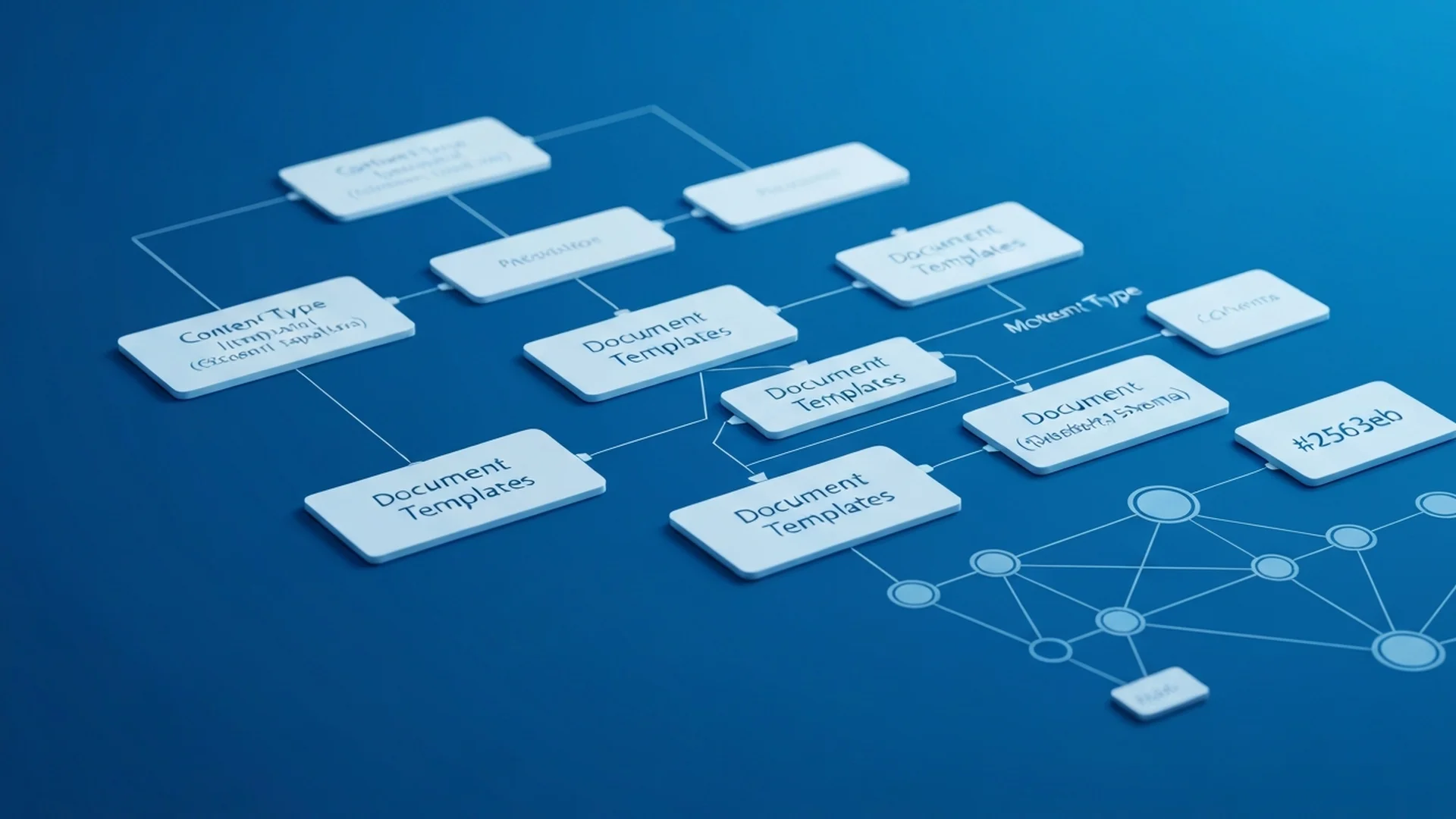
A content type is a reusable definition that includes metadata columns specifying what information is captured, a document template defining the starting point for new documents, workflow associations that automate processing, retention policies that govern lifecycle management, and information management policies for auditing and compliance.
Content types use inheritance. A parent content type defines base attributes, and child content types inherit those attributes while adding their own specializations. The built-in Document content type is the parent for most custom document content types.
Content Type Hub
The Content Type Hub is a special site collection that publishes content types across the entire tenant. Content types created and published from the hub are available in every site collection, ensuring organization-wide consistency. Changes made to hub-published content types propagate to all sites that use them.
Designing a Content Type Architecture
Planning Your Content Type Hierarchy
Start with broad categories and add specificity through inheritance. A typical enterprise hierarchy might include a base Document type, with child types for Policy Document, Contract, Proposal, Report, and Standard Operating Procedure. Each child type inherits the base columns and adds type-specific metadata.
```
Document (base)
Policy Document (adds: Policy Number, Effective Date, Review Date, Department)
Contract (adds: Contract Value, Start Date, End Date, Vendor, Status)
Proposal (adds: Client, Value, Submission Date, Status, Lead)
Report (adds: Report Period, Report Type, Department)
SOP (adds: Process Area, Version, Effective Date, Review Cycle)
```
Column Design Principles
Design metadata columns with consistency and usability in mind. Use managed metadata columns for values shared across the organization such as department names and project codes. Use choice columns for values specific to a single content type with limited options. Use lookup columns to reference data from other lists. Make critical classification columns required to ensure consistent tagging.
Creating and Publishing Content Types
Using the Content Type Hub
Create content types in the Content Type Hub through Site Settings then Site Content Types. Define the parent content type, add columns, associate document templates, and configure settings. Publish the content type to make it available tenant-wide.
```powershell
# Create a content type via PowerShell
Connect-PnPOnline -Url "https://tenant.sharepoint.com/sites/contenttypehub" -Interactive
Add-PnPContentType -Name "EPC Contract" -Description "Standard contract document" -Group "EPC Content Types" -ParentContentType "Document"
Add-PnPField -List "" -DisplayName "Contract Value" -InternalName "ContractValue" -Type Currency
Add-PnPFieldToContentType -ContentType "EPC Contract" -Field "ContractValue"
```
Adding Content Types to Libraries
After publishing, add content types to document libraries through Library Settings then Advanced Settings (enable content type management) then Add from existing content types. Users creating new documents in the library can then select which content type to use, and the appropriate template and metadata fields appear automatically.
Document Templates
Associate Word, Excel, or PowerPoint templates with content types so users start from a pre-formatted document. Templates can include corporate branding, standard sections, placeholder text, and pre-populated metadata fields. This ensures consistency across all documents of the same type while reducing the effort required to create new documents.
Retention and Compliance Integration
Content types integrate with Microsoft Purview retention labels to automate lifecycle management. Apply retention labels to content types so all documents of that type automatically receive the appropriate retention policy. Contracts might receive a seven-year retention label. Policies might receive a retain-until-superseded label. Temporary project documents might receive a two-year retention label.
This integration is essential for organizations in regulated industries where different document categories have different retention requirements mandated by law or regulation.
Workflow Associations
Associate Power Automate flows with content types to automate processing. A Contract content type can trigger an approval workflow when a new contract is created. A Policy Document content type can trigger a review reminder when the review date approaches. These associations ensure that business processes are consistently applied to the right content.
Content Type Governance
Ownership and Change Management
Assign a content type owner responsible for each content type's definition, evolution, and deprecation. Changes to published content types affect every library that uses them, so implement a change management process that includes impact assessment, testing, communication, and staged rollout.
Monitoring and Compliance
Regularly audit content type usage across the tenant. Identify libraries that should be using specific content types but are not. Measure metadata completion rates to ensure users are filling in required fields. Report on content type distribution to understand how your information architecture is being adopted.
Common Mistakes to Avoid
Do not create too many content types. Start with the minimum necessary and add more as needs emerge. Do not duplicate columns across content types when they can inherit from a shared parent. Do not make every column required because users will enter garbage data to bypass mandatory fields. Do not skip the Content Type Hub and create site-level content types that cannot be shared.
Content Type Hub and Enterprise Syndication
The SharePoint Content Type Hub is a centralized site collection that publishes content types to all other site collections across the tenant. This syndication model ensures that when you update a content type definition in the hub, the changes propagate to every library that uses that content type. This is essential for enterprise consistency because it means that adding a new metadata column to a content type or modifying a document template only needs to happen once rather than being replicated manually across hundreds of site collections.
Design your content type hierarchy carefully before publishing to the hub. Start with a base Document content type that includes universal metadata columns like Department, Document Status, and Retention Category. Create specialized child content types for each document category such as Policy Document, Contract, Technical Specification, and Meeting Minutes. Each child inherits the base columns and adds its own specific metadata. This inheritance model keeps the taxonomy manageable while ensuring comprehensive classification across all document types.
Content Types and Compliance
In regulated industries, content types serve as the enforcement mechanism for records management and retention policies. Associate retention labels with specific content types so that every document of a given type is automatically subject to the appropriate retention schedule. Configure content types to require specific metadata fields that compliance teams need for regulatory reporting, such as classification level, review date, and responsible owner. Use content type-based workflows to route documents through required review and approval processes before they can be published or shared externally.
Our SharePoint consulting team designs content type architectures that scale across thousands of sites and enforce consistent governance. Contact us for an information architecture assessment.
Content Type Deployment Automation
Site Scripts for Content Type Provisioning
Automate the deployment of content types to new sites using site designs and site scripts. When a new site is provisioned, the site script automatically adds the required content types, configures default document templates, sets up associated libraries with the correct content type assignments, and applies retention labels linked to each content type.
```json
{
"$schema": "https://developer.microsoft.com/json-schemas/sp/site-design-script-actions.schema.json",
"actions": [
{
"verb": "createContentType",
"name": "EPC Contract",
"id": "0x010100A1B2C3D4E5F6",
"description": "Standard contract document type",
"parentId": "0x0101",
"hidden": false,
"group": "EPC Content Types"
},
{
"verb": "addSiteColumn",
"internalName": "ContractValue",
"fieldType": "Currency",
"displayName": "Contract Value"
}
]
}
```
PnP Provisioning Templates
For more complex content type deployments, use PnP provisioning templates that define the complete information architecture including content types, site columns, list templates, and views in an XML or JSON template. Apply the template to new sites using PnP PowerShell or PnP provisioning engine. This approach ensures identical content type configurations across all sites without manual setup.
Content Type Lifecycle Management
Versioning Content Types
Content types evolve over time as business requirements change. Implement a versioning strategy that tracks changes to content types including added columns, removed columns, modified settings, and updated templates. Document each version change in a governance log. When modifying published content types, understand that changes propagate to all sites using the content type. Test changes on a pilot site before publishing to the entire tenant.
Deprecating Content Types
When a content type is no longer needed, do not delete it immediately. First, identify all sites and libraries where the content type is in use. Migrate existing documents to a replacement content type if appropriate. Remove the content type from libraries and then from the content type hub. Finally, delete the content type definition. This staged approach prevents orphaned documents and broken references.
Content Types and Microsoft Syntex Integration
SharePoint Syntex (now SharePoint Premium) can automatically classify documents and apply content types based on AI-powered document understanding models. Train a model to recognize contract documents, and Syntex automatically applies the Contract content type with extracted metadata values such as vendor name, contract dates, and dollar amounts.
This integration dramatically reduces the burden of manual content type application and metadata tagging. Organizations using Syntex report metadata completion rates above 90 percent compared to under 40 percent with manual tagging alone. The combination of content types and Syntex creates an automated information governance pipeline that works at enterprise scale.
Content Types for Records Management
Content types integrate with Microsoft Purview records management to declare documents as records that cannot be modified or deleted during their retention period. Configure a content type with an associated retention label that declares items as records upon creation. When a document is created using this content type, it automatically becomes a record with immutable version history and deletion protection.
This pattern is essential for compliance in regulated industries where specific document categories must be treated as official records. Healthcare organizations use it for clinical protocols and consent forms. Financial institutions use it for trade confirmations and regulatory filings. Government agencies use it for official correspondence and policy documents.
Enterprise Implementation Best Practices
In our 25+ years of enterprise SharePoint consulting, we have designed metadata architectures for organizations managing millions of documents across hundreds of sites, and the metadata strategy consistently determines whether SharePoint becomes a powerful knowledge platform or an expensive file dump. Organizations that invest in metadata architecture before content migration achieve search satisfaction rates three to five times higher than those that do not.
- Design a Managed Term Store Strategy First: The term store is your metadata foundation. Design a taxonomy that reflects how your organization categorizes and retrieves information rather than replicating departmental silos. Establish term set owners responsible for maintaining vocabulary accuracy, adding new terms through a governed request process, and retiring obsolete terms that clutter the taxonomy.
- Implement Content Types Across Site Collections: Content types provide consistent metadata schemas that travel with documents regardless of their location. Define enterprise content types for your most common document categories and publish them from a content type hub. This approach ensures that a contract, proposal, or technical specification carries the same metadata schema whether it resides in the legal, sales, or engineering SharePoint environment.
- Automate Classification Where Possible: Manual metadata tagging is the weakest link in any metadata strategy because user compliance degrades over time. Deploy SharePoint Premium classifiers to automatically detect and tag document types, extract key metadata values, and apply retention labels based on content analysis. Automation maintains metadata quality at scale without burdening content authors.
- Configure Default Column Values and Validation: Set default metadata values at the folder and library level so that documents inherit appropriate classifications automatically. Implement column validation formulas that prevent incorrect values and provide clear error messages guiding users toward proper classification.
- Train Users on the Value of Metadata: Users who understand why metadata matters comply more consistently than users who view tagging as bureaucratic overhead. Show users how metadata powers search, drives automated workflows, enables compliance, and surfaces relevant content through dynamic views and content rollups. Connect metadata investment to tangible benefits they experience daily.
Governance and Compliance Considerations
Metadata architecture in SharePoint has direct compliance implications because classification accuracy determines whether retention policies, sensitivity labels, access controls, and discovery responses function correctly across your content estate.
For HIPAA-regulated organizations, metadata schemas must include classifications that identify content containing protected health information so that sensitivity labels, retention policies, and access controls can be automatically applied. Inaccurate or missing metadata on PHI-containing documents creates compliance gaps where regulated content may lack required encryption, retention, or access restrictions.
Financial services organizations must ensure metadata classifications support SEC recordkeeping requirements by accurately identifying business records, client communications, and financial documents subject to mandatory retention. Metadata errors that cause records to be classified incorrectly can result in premature deletion of regulated content or failure to produce responsive documents during regulatory examinations.
Government organizations must implement metadata schemas that support security classification markings, handling caveats, and dissemination controls required by applicable information security frameworks and executive orders.
Implement metadata quality monitoring that tracks classification completeness, accuracy, and consistency across your SharePoint environment. Configure reports that identify unclassified documents, documents with inconsistent metadata values, and libraries where metadata compliance falls below acceptable thresholds. Review metadata quality metrics quarterly with content owners and compliance officers, and address classification gaps before they create compliance exposure during audits or discovery requests. Our SharePoint metadata specialists design classification architectures that support compliance automation while remaining practical for content authors.
Ready to build a metadata architecture that powers intelligent content management? Our information architecture specialists have designed metadata strategies for organizations managing millions of documents across complex taxonomies. Contact our team for a metadata assessment, and discover how our SharePoint consulting services can transform your content findability and compliance posture.
Common Challenges and Solutions
Organizations implementing SharePoint Content Types consistently encounter obstacles that, if left unaddressed, undermine adoption and erode stakeholder confidence. Drawing on two decades of enterprise SharePoint consulting, these are the challenges we see most frequently and the proven approaches for overcoming them.
Challenge 1: Search Relevance and Content Discoverability
Poor search experiences are among the top complaints users raise about SharePoint Content Types deployments. When search returns irrelevant results or fails to surface critical documents, users abandon the platform in favor of ad-hoc workarounds like email attachments and local file shares. The resolution requires a structured approach: investing in managed metadata term stores, consistent content type usage, and search schema configuration. Promote high-value content through bookmarks and acronyms in Microsoft Search, and regularly review search analytics to identify and close discoverability gaps. Organizations that address this proactively report 40 to 60 percent fewer support tickets within the first 90 days of deployment. Establishing a dedicated governance committee with representatives from IT, compliance, and business stakeholders ensures ongoing alignment between technical configuration and organizational objectives.
Challenge 2: User Adoption Resistance
Many organizations deploy SharePoint Content Types with technically sound configurations but fail to achieve meaningful adoption because end users default to familiar workflows. The root cause is almost always insufficient change management rather than flawed technology. We recommend developing role-specific training modules that demonstrate tangible time savings for each user persona, combined with executive communications that reinforce the strategic importance of the transition. Tracking these metrics through SharePoint health dashboards provides early warning indicators that allow administrators to intervene before minor issues become systemic problems affecting enterprise-wide productivity.
Challenge 3: Content Sprawl and Information Architecture Degradation
Over time, SharePoint Content Types environments accumulate redundant, outdated, and trivial content that degrades search relevance and confuses users. Without proactive content lifecycle management, the signal-to-noise ratio deteriorates and user trust in the platform erodes. The most effective mitigation strategy involves establishing automated retention policies that flag content for review after defined periods of inactivity, combined with content owner accountability structures that assign clear responsibility for each site collection and library. Enterprises operating in regulated industries such as healthcare and financial services must pay particular attention to this challenge because compliance violations carry significant financial and reputational consequences. Regular audits conducted quarterly at minimum help organizations maintain alignment with evolving regulatory requirements and internal policy updates.
Challenge 4: Compliance and Audit Readiness Gaps
SharePoint Content Types implementations in regulated industries often lack the audit trail depth and policy enforcement rigor required by frameworks such as HIPAA, SOC 2, and GDPR. Retroactive compliance remediation is significantly more expensive and disruptive than building compliance into the initial design. Addressing this requires embedding compliance requirements into the information architecture from day one. Configure Microsoft Purview retention labels, DLP policies, and audit logging before deploying content, and validate compliance posture through regular internal audits. Organizations that invest in structured change management programs achieve adoption rates 35 percent higher than those relying on organic discovery alone. Executive sponsorship combined with department-level champions creates the organizational momentum necessary for sustained success.
Integration with Microsoft 365 Ecosystem
SharePoint Content Types does not operate in isolation. Its value multiplies when connected to the broader Microsoft 365 ecosystem, creating unified workflows that eliminate context switching and reduce manual data transfer between applications.
Microsoft Teams Integration: SharePoint Content Types content surfaces directly in Teams channels through embedded tabs and adaptive cards, giving team members instant access to relevant documents and dashboards without leaving their collaborative workspace. Teams channels automatically provision SharePoint document libraries, which means sharepoint content types configurations and content flow seamlessly between collaborative conversations and structured document management. Users can surface SharePoint content directly within Teams tabs, reducing the friction that typically causes adoption to stall.
Power Automate Workflows: Build approval workflows that route SharePoint Content Types content through structured review chains, automatically notifying approvers and escalating overdue items to maintain process velocity. Automated workflows triggered by SharePoint events such as document uploads, metadata changes, or approval completions eliminate repetitive manual tasks. Organizations typically automate 15 to 25 processes within the first quarter, saving an average of 8 hours per week per department. These automations also create audit trails that satisfy compliance requirements for regulated industries.
Power BI Analytics: Visualize SharePoint Content Types usage patterns and adoption metrics through Power BI dashboards that update automatically, giving leadership real-time visibility into platform health and user engagement. Connecting SharePoint data to Power BI dashboards provides real-time visibility into content usage patterns, adoption metrics, and operational KPIs. Decision makers gain actionable intelligence without requiring manual report generation, enabling faster response to emerging trends and potential issues.
Microsoft Purview and Compliance: Apply sensitivity labels to SharePoint Content Types content automatically based on classification rules, ensuring that confidential and regulated information receives appropriate protection throughout its lifecycle. Sensitivity labels, data loss prevention policies, and retention schedules configured in Microsoft Purview extend automatically to sharepoint content types content. This unified compliance framework ensures that governance policies apply consistently across the entire Microsoft 365 environment rather than requiring separate configuration for each workload. For organizations subject to HIPAA, SOC 2, or FedRAMP requirements, this integrated approach significantly reduces compliance management overhead.
Getting Started: Next Steps
Implementing SharePoint Content Types effectively requires more than technical configuration. It demands a strategic approach grounded in your organization's specific business requirements, compliance obligations, and growth trajectory. The difference between a deployment that delivers measurable ROI and one that becomes shelfware often comes down to the quality of upfront planning and expert guidance.
Begin with a focused assessment of your current SharePoint environment. Evaluate your existing information architecture, permission structures, content lifecycle policies, and user adoption patterns. Identify gaps between your current state and the target state required for successful sharepoint content types implementation. This assessment typically takes 2 to 4 weeks and produces a prioritized roadmap that aligns technical work with business outcomes.
Our SharePoint specialists have guided organizations across healthcare, financial services, government, and education through hundreds of successful implementations. We bring deep expertise in SharePoint architecture, governance frameworks, and compliance alignment that accelerates time to value while minimizing risk.
Ready to move forward? Contact our team for a complimentary consultation. We will assess your environment, identify quick wins, and develop a phased implementation plan tailored to your organization's needs and timeline. Whether you are starting from scratch or optimizing an existing deployment, our enterprise SharePoint consultants deliver the expertise and accountability that Fortune 500 organizations demand.
Written by the SharePoint Support Team
Senior SharePoint Consultants | 25+ Years Microsoft Ecosystem Experience
Our senior SharePoint consultants bring deep expertise spanning 500+ enterprise migrations and compliance implementations across HIPAA, SOC 2, and FedRAMP environments. We cover SharePoint Online, Microsoft 365, migrations, Copilot readiness, and large-scale governance.
Expert SharePoint Services
Frequently Asked Questions
What should a SharePoint governance framework include?▼
How do we enforce SharePoint governance without slowing down users?▼
Who should own SharePoint governance in an enterprise?▼
How often should we review and update our SharePoint governance policies?▼
Can SharePoint replace a traditional document management system?▼
Need Expert Help?
Our SharePoint consultants are ready to help you implement these strategies in your organization.
Continue Reading in Content Management
Multilingual SharePoint Sites: Global Communication Guide
Enable effective global communication with SharePoint multilingual features including page translation, navigation localization, and content management for international organizations.
Content ManagementSharePoint Alerts and Notifications Guide
Master SharePoint alerts and notifications to keep users informed about document changes, list updates, and important activities across your sites.
Content ManagementSharePoint List Views: Configuration and Optimization Guide
Master SharePoint list views to organize data effectively. Covers creating custom views, filtering, grouping, formatting, and performance optimization for large lists.
Content ManagementSharePoint Modern Pages: Design and Publishing Guide
Create engaging SharePoint modern pages with sections, web parts, and multimedia. Covers page design, templates, news publishing, and mobile optimization.
Content ManagementSharePoint Web Parts: Complete Configuration Guide
Master SharePoint web parts for building dynamic pages. Covers all major web parts, configuration options, custom SPFx development, and performance optimization.
AI & CopilotMicrosoft Copilot for SharePoint: The Guide for 2025
Everything you need to know about Microsoft Copilot integration with SharePoint, from setup to advanced automation strategies.