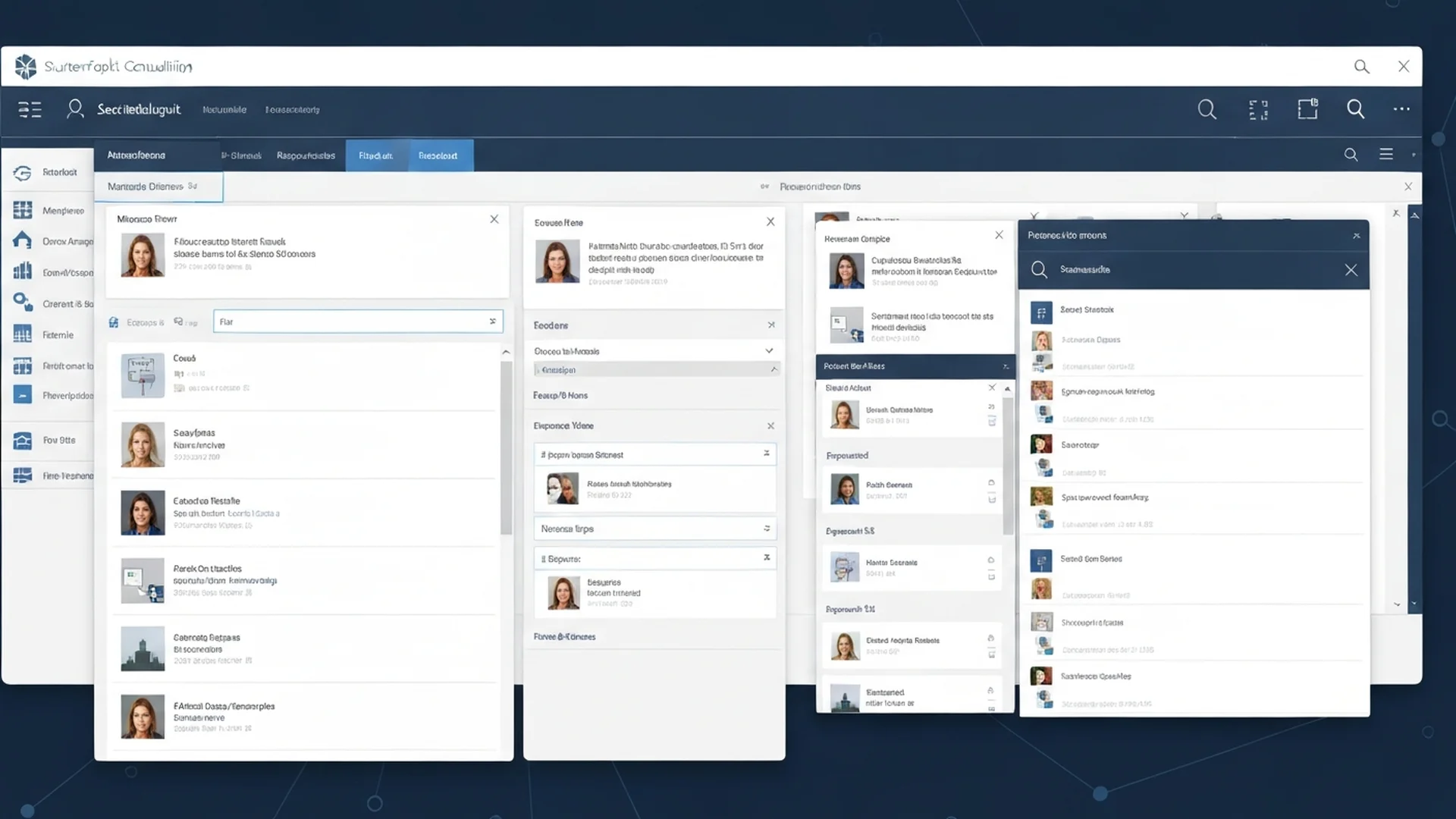
How Metadata Navigation Eliminates Folder Dependency in SharePoint
Metadata navigation in SharePoint replaces rigid folder hierarchies with dynamic, faceted filtering that lets users find documents by attributes such as project name, document type, department, or status. This approach scales to millions of documents while traditional folder structures break down at just a few thousand items, making metadata navigation essential for any enterprise SharePoint deployment.

In our 25+ years of implementing SharePoint for large organizations, we have consistently found that metadata-driven navigation reduces document retrieval time by 40 to 60 percent compared to folder-based systems. The key is proper taxonomy design, column configuration, and user training.
Why Folders Fail at Enterprise Scale
Traditional folder hierarchies force a single organizational structure onto documents that often belong to multiple categories. A contract might relate to a specific project, department, vendor, and fiscal year simultaneously, but a folder structure can only place it in one location. Users who think in different organizational dimensions cannot find content filed by someone with a different mental model.
Deep nesting compounds the problem. When folder structures reach five or six levels deep, navigation becomes painfully slow. Users create shortcuts, duplicate files across folders, and eventually abandon the system in favor of email attachments or personal drives. This defeats the purpose of centralized document management.
The Metadata Advantage
Metadata enables multi-dimensional organization without duplication. A single document tagged with Project equals Spring Campaign, Year equals 2024, Department equals Marketing, and Type equals Campaign Assets can be found through any of those dimensions. Users filter by the attributes that matter to them rather than navigating someone else's folder structure.
Configuring Metadata Navigation in SharePoint
Enabling Key Filters
Key Filters provide a tree-view navigation panel on the left side of document libraries. To enable them, navigate to Library Settings, click Metadata Navigation Settings, and add columns under Configure Key Filters. The best columns for Key Filters are choice columns with limited values, managed metadata columns linked to your term store, and lookup columns that reference other lists.
Configuring Filter Fields
Filter fields appear as horizontal dropdown bars above the document library view. Users select values from multiple filter fields to narrow results progressively. You can configure up to 10 filter fields per library. Choose columns that users frequently search by and ensure those columns have indexed values for performance.
```powershell
# Enable metadata navigation on a document library
Connect-PnPOnline -Url "https://tenant.sharepoint.com/sites/team" -Interactive
$list = Get-PnPList -Identity "Documents"
# Configure navigation and filter columns through the UI or CSOM
```
Designing an Enterprise Taxonomy
Term Store Architecture
The SharePoint Term Store provides a centralized taxonomy that can be shared across all sites in the tenant. Structure your term store with groups representing major classification domains, term sets for specific vocabularies, and terms for individual values.
```
Term Store
Group: Corporate Taxonomy
Term Set: Departments (Marketing, Sales, Engineering, Finance, HR)
Term Set: Document Types (Contract, Proposal, Report, Policy, SOP)
Term Set: Projects (Project Alpha, Project Beta, Project Gamma)
Term Set: Regions (North America, EMEA, APAC)
```
Taxonomy Design Principles
Start with three to five key classification dimensions. Keep the hierarchy shallow with a maximum of three levels. Use clear, unambiguous terms that users across the organization will understand. Test your vocabulary with actual users before deploying. Plan for growth by designing term sets that can accommodate new values without restructuring.
Avoid creating overly granular taxonomies. A term set with 500 values is harder to use than one with 50 values organized into logical groups. Use term set hierarchy (parent-child terms) to manage large vocabularies while keeping the user experience manageable.
Creating Managed Metadata Columns
Add managed metadata columns to document libraries by creating a new column of type Managed Metadata and selecting the appropriate term set. Enable multiple values if documents can belong to more than one category. Set columns as required if classification is mandatory for compliance.
Train users to tag documents consistently. The managed metadata picker provides type-ahead suggestions, making it fast to apply the correct terms. For high-volume libraries, implement auto-tagging using SharePoint Syntex or Power Automate flows that classify documents based on content analysis.
Building Effective Library Views
Create multiple saved views that combine metadata filters for common use cases. A Legal team might have views for Active Contracts This Year, Expiring Contracts Next 90 Days, and Contracts by Vendor. Each view applies specific column filters, sort orders, and groupings that match how the team actually works.
Use audience targeting on views to show different default views to different user groups. Executives might see a summary view grouped by department, while project managers see a detailed view grouped by project and status.
Modern Column Formatting with JSON
Enhance metadata navigation with JSON column formatting that provides visual cues. Color-code status columns to highlight overdue items in red and completed items in green. Add icons to document type columns so users can quickly scan for the content they need. These visual enhancements make metadata navigation faster and more intuitive.
Search Integration with Metadata
Metadata dramatically improves SharePoint search relevance. When users search for documents, they can refine results using metadata refiners that appear in the search results panel. Configure managed properties in the search schema to map your metadata columns to searchable and refinable properties.
Combine metadata navigation with search for the most powerful content discovery experience. Users can start with a keyword search and then narrow results using metadata refiners, or start with metadata filters and then search within the filtered results.
Migrating from Folders to Metadata
Transitioning from folder-based to metadata-based organization requires careful planning. Inventory existing folder structures and identify the classification dimensions they represent. Create corresponding metadata columns and term sets. Use PowerShell or third-party tools to bulk-apply metadata based on folder paths, then flatten the folder structure.
Do not remove folders immediately. Run both systems in parallel during a transition period so users can adapt. Provide training sessions and quick-reference guides that show users how to find documents using the new metadata navigation.
Governance and Maintenance
Assign term store administrators who are responsible for maintaining the taxonomy. Establish a process for requesting new terms that includes review and approval. Periodically audit metadata compliance to ensure documents are being tagged correctly. Remove or deprecate unused terms to keep the taxonomy clean.
Performance Optimization for Large Libraries
Libraries with more than 5,000 items require indexed columns for metadata navigation to function correctly. Without proper indexing, filtered views and metadata navigation panels return errors or fail to load because SharePoint cannot query non-indexed columns across the list view threshold. Index every column used in navigation filters, sorted views, or grouped views. For libraries with more than 20,000 items, limit the number of concurrent filter combinations and avoid calculated columns in filter definitions since they cannot be indexed.
Content types play a critical role in metadata navigation scalability. Rather than adding dozens of metadata columns to a single library, use content types to define logical document categories that inherit from a common parent type. Each content type carries its own set of metadata columns, and users select the appropriate content type when creating documents. This approach keeps individual libraries clean while enabling rich metadata navigation across the full range of document types.
Enterprise Taxonomy Design Principles
An effective enterprise taxonomy balances comprehensiveness with usability. Too few terms leave users unable to classify their content accurately, while too many terms overwhelm users and reduce classification consistency. Start with a broad taxonomy that covers the primary classification dimensions such as department, document type, project, and sensitivity level, then refine the taxonomy based on actual usage patterns over the first six months. Monitor which terms are used frequently, which are rarely applied, and where users request additional options.
Managed metadata term sets should follow a hierarchical structure that reflects how the organization thinks about its content rather than mirroring the organizational chart. A well-designed term set for document types might have top-level categories like Administrative, Financial, Legal, and Technical, with sub-categories that provide more specific classification within each top-level group. Allow open term sets where appropriate so that users can suggest new terms, but route suggestions through a review process to prevent taxonomy sprawl.
Our SharePoint consulting team designs enterprise taxonomy and metadata strategies that scale across thousands of sites and millions of documents. Contact us for a metadata navigation assessment and implementation roadmap.
Advanced Metadata Strategies for Enterprise Scale
Content Type Integration with Metadata Navigation
Content types provide a powerful complement to metadata navigation by defining standardized metadata schemas across the organization. When a library uses content types, each document type carries its own set of metadata columns. A Contract content type might include columns for vendor name, contract value, expiration date, and status, while a Policy content type includes columns for department, effective date, review cycle, and approval status.
Configure metadata navigation to use these content type columns as filters, enabling users to navigate first by document type and then by type-specific attributes. This creates a natural browsing experience that mirrors how users think about different categories of documents.
Automated Metadata Tagging with SharePoint Syntex
SharePoint Syntex (now part of SharePoint Premium) uses AI models to automatically extract and apply metadata to documents as they are uploaded. Train document understanding models to identify document types and extract key values from content. For example, a contract processing model can automatically extract the vendor name, contract dates, and dollar amounts from uploaded contracts and populate the corresponding metadata columns.
Automated tagging removes the burden of manual metadata entry from users while ensuring consistent classification. This is particularly valuable for high-volume libraries where manual tagging is impractical. Organizations that implement Syntex-powered auto-tagging see metadata completion rates increase from under 40 percent to above 90 percent.
Cross-Site Metadata Navigation with Search
Metadata navigation within a single library is powerful, but organizations often need to find content across multiple libraries and sites. Configure SharePoint search managed properties to map your metadata columns to refinable properties that appear as filters in search results. Users can search across the entire tenant and then narrow results using the same metadata dimensions used for library-level navigation.
Create custom search result pages for specific content discovery scenarios. A contract search page might include refiners for vendor, status, expiration date range, and contract value range, enabling users to find contracts across all sites without knowing which library stores them.
Performance Optimization for Metadata Navigation
Column Indexing
Metadata navigation columns must be indexed for acceptable performance in large libraries. SharePoint automatically creates indexes for metadata navigation columns in most cases, but verify indexing on libraries approaching the 5000-item list view threshold. Without indexes, metadata filters and Key Filters become progressively slower as the library grows.
```powershell
# Create column index for metadata navigation
Connect-PnPOnline -Url "https://tenant.sharepoint.com/sites/team" -Interactive
Add-PnPFieldIndex -List "Documents" -Field "Department"
Add-PnPFieldIndex -List "Documents" -Field "DocumentType"
```
Large Library Strategies
For libraries exceeding 100,000 items, metadata navigation becomes essential because traditional folder browsing and flat views are impractical at this scale. Use indexed columns exclusively for navigation and filtering. Configure default views that include metadata filters to prevent users from loading unfiltered views that exceed the list view threshold. Consider splitting extremely large libraries into multiple libraries organized by a top-level classification when libraries approach millions of items.
Measuring Metadata Navigation Effectiveness
Track the effectiveness of your metadata navigation implementation by analyzing search analytics, user feedback, and document retrieval times. Compare the time users spend finding documents before and after metadata navigation deployment. Monitor which metadata filters are used most frequently and which are ignored. Remove unused filters to simplify the interface and add new filters for attributes that users request. Conduct annual reviews of the taxonomy to ensure terms remain current and comprehensive.
Enterprise Implementation Best Practices
In our 25+ years of enterprise SharePoint consulting, we have designed metadata architectures for organizations managing millions of documents across hundreds of sites, and the metadata strategy consistently determines whether SharePoint becomes a powerful knowledge platform or an expensive file dump. Organizations that invest in metadata architecture before content migration achieve search satisfaction rates three to five times higher than those that do not.
- Design a Managed Term Store Strategy First: The term store is your metadata foundation. Design a taxonomy that reflects how your organization categorizes and retrieves information rather than replicating departmental silos. Establish term set owners responsible for maintaining vocabulary accuracy, adding new terms through a governed request process, and retiring obsolete terms that clutter the taxonomy.
- Implement Content Types Across Site Collections: Content types provide consistent metadata schemas that travel with documents regardless of their location. Define enterprise content types for your most common document categories and publish them from a content type hub. This approach ensures that a contract, proposal, or technical specification carries the same metadata schema whether it resides in the legal, sales, or engineering SharePoint environment.
- Automate Classification Where Possible: Manual metadata tagging is the weakest link in any metadata strategy because user compliance degrades over time. Deploy SharePoint Premium classifiers to automatically detect and tag document types, extract key metadata values, and apply retention labels based on content analysis. Automation maintains metadata quality at scale without burdening content authors.
- Configure Default Column Values and Validation: Set default metadata values at the folder and library level so that documents inherit appropriate classifications automatically. Implement column validation formulas that prevent incorrect values and provide clear error messages guiding users toward proper classification.
- Train Users on the Value of Metadata: Users who understand why metadata matters comply more consistently than users who view tagging as bureaucratic overhead. Show users how metadata powers search, drives automated workflows, enables compliance, and surfaces relevant content through dynamic views and content rollups. Connect metadata investment to tangible benefits they experience daily.
Governance and Compliance Considerations
Metadata architecture in SharePoint has direct compliance implications because classification accuracy determines whether retention policies, sensitivity labels, access controls, and discovery responses function correctly across your content estate.
For HIPAA-regulated organizations, metadata schemas must include classifications that identify content containing protected health information so that sensitivity labels, retention policies, and access controls can be automatically applied. Inaccurate or missing metadata on PHI-containing documents creates compliance gaps where regulated content may lack required encryption, retention, or access restrictions.
Financial services organizations must ensure metadata classifications support SEC recordkeeping requirements by accurately identifying business records, client communications, and financial documents subject to mandatory retention. Metadata errors that cause records to be classified incorrectly can result in premature deletion of regulated content or failure to produce responsive documents during regulatory examinations.
Government organizations must implement metadata schemas that support security classification markings, handling caveats, and dissemination controls required by applicable information security frameworks and executive orders.
Implement metadata quality monitoring that tracks classification completeness, accuracy, and consistency across your SharePoint environment. Configure reports that identify unclassified documents, documents with inconsistent metadata values, and libraries where metadata compliance falls below acceptable thresholds. Review metadata quality metrics quarterly with content owners and compliance officers, and address classification gaps before they create compliance exposure during audits or discovery requests. Our SharePoint metadata specialists design classification architectures that support compliance automation while remaining practical for content authors.
Ready to build a metadata architecture that powers intelligent content management? Our information architecture specialists have designed metadata strategies for organizations managing millions of documents across complex taxonomies. Contact our team for a metadata assessment, and discover how our SharePoint consulting services can transform your content findability and compliance posture.
Common Challenges and Solutions
Organizations implementing Metadata Navigation consistently encounter obstacles that, if left unaddressed, undermine adoption and erode stakeholder confidence. Drawing on two decades of enterprise SharePoint consulting, these are the challenges we see most frequently and the proven approaches for overcoming them.
Challenge 1: Content Sprawl and Information Architecture Degradation
Over time, Metadata Navigation environments accumulate redundant, outdated, and trivial content that degrades search relevance and confuses users. Without proactive content lifecycle management, the signal-to-noise ratio deteriorates and user trust in the platform erodes. The resolution requires a structured approach: establishing automated retention policies that flag content for review after defined periods of inactivity, combined with content owner accountability structures that assign clear responsibility for each site collection and library. Organizations that address this proactively report 40 to 60 percent fewer support tickets within the first 90 days of deployment. Establishing a dedicated governance committee with representatives from IT, compliance, and business stakeholders ensures ongoing alignment between technical configuration and organizational objectives.
Challenge 2: Compliance and Audit Readiness Gaps
Metadata Navigation implementations in regulated industries often lack the audit trail depth and policy enforcement rigor required by frameworks such as HIPAA, SOC 2, and GDPR. Retroactive compliance remediation is significantly more expensive and disruptive than building compliance into the initial design. We recommend embedding compliance requirements into the information architecture from day one. Configure Microsoft Purview retention labels, DLP policies, and audit logging before deploying content, and validate compliance posture through regular internal audits. Tracking these metrics through SharePoint health dashboards provides early warning indicators that allow administrators to intervene before minor issues become systemic problems affecting enterprise-wide productivity.
Challenge 3: Inconsistent Governance Across Business Units
When different departments implement Metadata Navigation independently, inconsistent naming conventions, metadata schemas, and security configurations create silos that undermine cross-functional collaboration and complicate compliance reporting. The most effective mitigation strategy involves centralizing governance policy definition while allowing controlled flexibility at the departmental level. A hub-and-spoke governance model balances enterprise consistency with departmental autonomy. Enterprises operating in regulated industries such as healthcare and financial services must pay particular attention to this challenge because compliance violations carry significant financial and reputational consequences. Regular audits conducted quarterly at minimum help organizations maintain alignment with evolving regulatory requirements and internal policy updates.
Challenge 4: Migration and Legacy Content Complexity
Organizations transitioning legacy content into Metadata Navigation often underestimate the complexity of mapping old structures, metadata, and permissions to modern architectures. Failed migrations erode user confidence and create parallel systems that duplicate effort. Addressing this requires conducting thorough pre-migration content audits that classify and prioritize content based on business value. Invest in automated migration tools that preserve metadata fidelity and permission integrity while providing detailed validation reports. Organizations that invest in structured change management programs achieve adoption rates 35 percent higher than those relying on organic discovery alone. Executive sponsorship combined with department-level champions creates the organizational momentum necessary for sustained success.
Integration with Microsoft 365 Ecosystem
Metadata Navigation does not operate in isolation. Its value multiplies when connected to the broader Microsoft 365 ecosystem, creating unified workflows that eliminate context switching and reduce manual data transfer between applications.
Microsoft Teams Integration: Configure Teams notifications that alert stakeholders when Metadata Navigation content changes, ensuring that distributed teams stay informed about updates without relying on manual communication workflows. Teams channels automatically provision SharePoint document libraries, which means metadata navigation configurations and content flow seamlessly between collaborative conversations and structured document management. Users can surface SharePoint content directly within Teams tabs, reducing the friction that typically causes adoption to stall.
Power Automate Workflows: Create event-driven automations that respond to Metadata Navigation changes in real time, triggering downstream processes such as notifications, data transformations, and cross-system synchronization. Automated workflows triggered by SharePoint events such as document uploads, metadata changes, or approval completions eliminate repetitive manual tasks. Organizations typically automate 15 to 25 processes within the first quarter, saving an average of 8 hours per week per department. These automations also create audit trails that satisfy compliance requirements for regulated industries.
Power BI Analytics: Connect Metadata Navigation list and library data to Power BI datasets for advanced analytics that transform raw operational data into strategic business intelligence accessible to decision makers across the organization. Connecting SharePoint data to Power BI dashboards provides real-time visibility into content usage patterns, adoption metrics, and operational KPIs. Decision makers gain actionable intelligence without requiring manual report generation, enabling faster response to emerging trends and potential issues.
Microsoft Purview and Compliance: Configure data loss prevention policies that monitor Metadata Navigation content for sensitive information patterns, blocking or restricting sharing actions that could violate compliance requirements. Sensitivity labels, data loss prevention policies, and retention schedules configured in Microsoft Purview extend automatically to metadata navigation content. This unified compliance framework ensures that governance policies apply consistently across the entire Microsoft 365 environment rather than requiring separate configuration for each workload. For organizations subject to HIPAA, SOC 2, or FedRAMP requirements, this integrated approach significantly reduces compliance management overhead.
Getting Started: Next Steps
Implementing Metadata Navigation effectively requires more than technical configuration. It demands a strategic approach grounded in your organization's specific business requirements, compliance obligations, and growth trajectory. The difference between a deployment that delivers measurable ROI and one that becomes shelfware often comes down to the quality of upfront planning and expert guidance.
Begin with a focused assessment of your current SharePoint environment. Evaluate your existing information architecture, permission structures, content lifecycle policies, and user adoption patterns. Identify gaps between your current state and the target state required for successful metadata navigation implementation. This assessment typically takes 2 to 4 weeks and produces a prioritized roadmap that aligns technical work with business outcomes.
Our SharePoint specialists have guided organizations across healthcare, financial services, government, and education through hundreds of successful implementations. We bring deep expertise in SharePoint architecture, governance frameworks, and compliance alignment that accelerates time to value while minimizing risk.
Ready to move forward? Contact our team for a complimentary consultation. We will assess your environment, identify quick wins, and develop a phased implementation plan tailored to your organization's needs and timeline. Whether you are starting from scratch or optimizing an existing deployment, our enterprise SharePoint consultants deliver the depth and accountability enterprise SharePoint work requires.
Written by the SharePoint Support Team
Senior SharePoint Consultants | 25+ Years Microsoft Ecosystem Experience
Our senior SharePoint consultants bring deep expertise spanning 500+ enterprise migrations and compliance implementations across HIPAA, SOC 2, and FedRAMP environments. We cover SharePoint Online, Microsoft 365, migrations, Copilot readiness, and large-scale governance.
Expert SharePoint Services
Frequently Asked Questions
Can SharePoint replace a traditional document management system?▼
What is the maximum file size and storage limit in SharePoint Online?▼
How should we organize documents in SharePoint: folders or metadata?▼
How does version control work in SharePoint document libraries?▼
How do we create effective SharePoint list views for business users?▼
Need Expert Help?
Our SharePoint consultants are ready to help you implement these strategies in your organization.
Continue Reading in Navigation
Quick Links Web Part: Navigation Best Practices
Master the SharePoint Quick Links web part for effective navigation. Learn layout options, link management, audience targeting, and design patterns for enterprise intranets.
IntegrationMicrosoft Forms + SharePoint: Data Collection Guide
Integrate Microsoft Forms with SharePoint for powerful data collection workflows. Learn form creation, response routing to lists, Power Automate integration, and enterprise survey strategies.
Industry SolutionsSharePoint for Healthcare: Complete HIPAA Compliance Guide
How healthcare organizations can leverage SharePoint while maintaining HIPAA compliance. Complete guide to PHI protection, audit trails, and secure collaboration.
MigrationMigrating from Google Workspace to SharePoint
Step-by-step guide for migrating from Google Drive, Docs, and Sites to SharePoint Online. Includes mapping, tools, and best practices.
AI & CopilotBuilding Custom SharePoint AI Agents in 2026
Learn how to build custom AI agents that interact with SharePoint using Microsoft Copilot Studio, Azure OpenAI, and the Microsoft Graph API.
Enterprise SupportNation's Leading SharePoint Support & Emergency Services Partner
Discover why organizations across every industry trust SharePointSupport.com as their go-to partner for enterprise SharePoint support, emergency issue resolution, and mission-critical Microsoft 365 environments.