
The Search Challenge
Users spend 20% of their time searching for information. Optimized SharePoint search dramatically improves productivity.
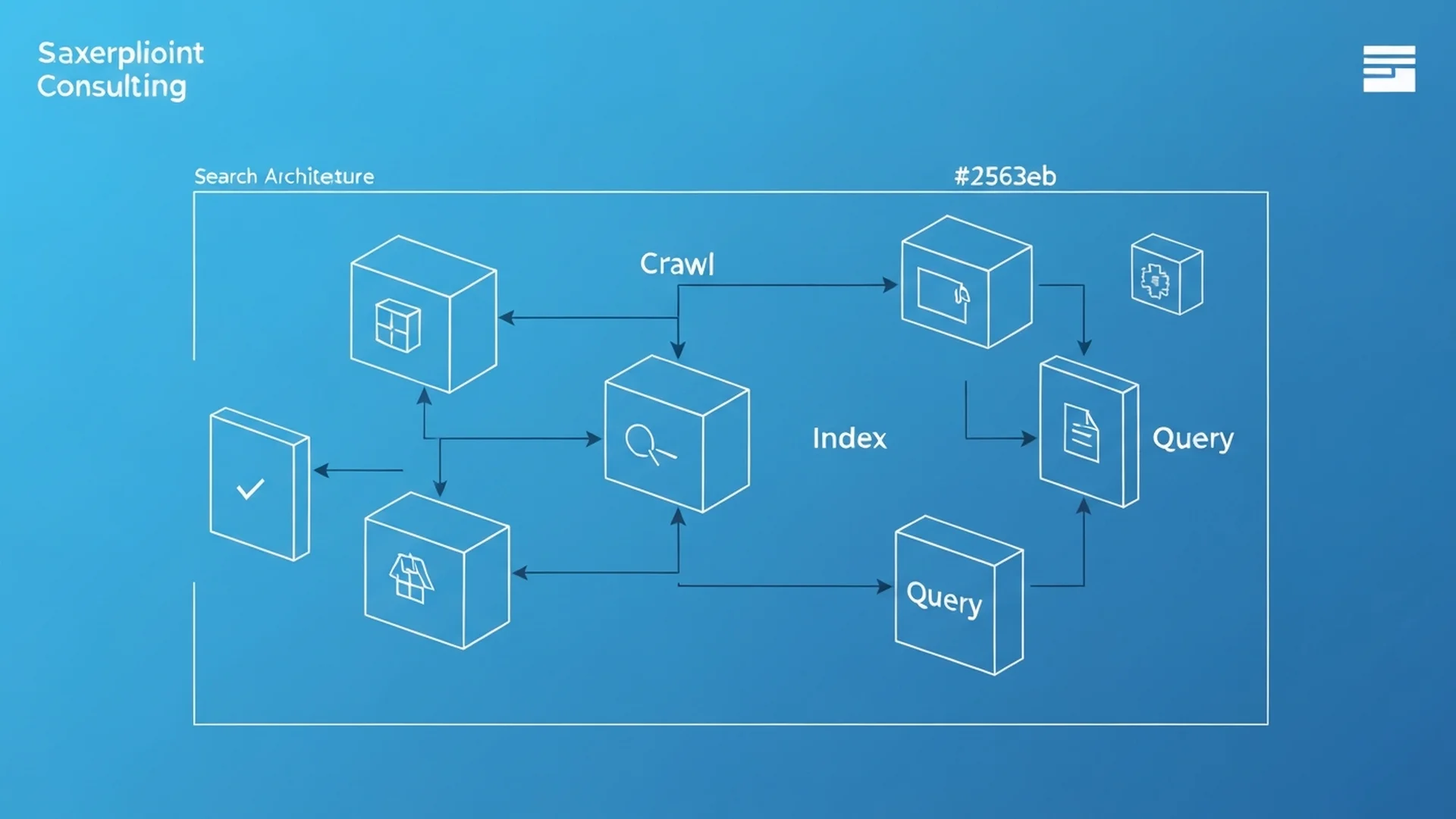
How SharePoint Search Works
The Search Pipeline
- Crawling: Content discovered and indexed
- Processing: Content analyzed and enriched
- Indexing: Content added to search index
- Querying: User searches executed
- Ranking: Results ordered by relevance
Index Components
What gets indexed:
- Document content (text, metadata)
- List items
- Pages
- People profiles
- Site information
Optimization Techniques
1. Metadata Strategy
Rich metadata improves search:
Site Columns:
- Consistent across sites
- Searchable and refinable
- Meaningful names
Content Types:
- Required metadata
- Default values
- Templates
2. Managed Properties
Configure searchable properties:
- Searchable: Include in full-text search
- Queryable: Use in search queries
- Retrievable: Return in search results
- Refinable: Use as search refiners
- Sortable: Order results by property
3. Result Sources
Define search scopes:
- Local: Current site only
- Hub: Hub and associated sites
- Organization: All SharePoint content
- Custom: Specific content sources
4. Query Rules
Promote relevant results:
Conditions:
- Query matches term
- Query from specific source
- User in specific group
Actions:
- Promote result
- Add result block
- Change ranking
Search Verticals
Create focused search experiences:
People Search
- Find colleagues
- View profiles
- Organization chart
- Skills and expertise
Document Search
- File type filters
- Date filters
- Author filters
- Modified date
Site Search
- Find SharePoint sites
- Site templates
- Hub associations
- Owner information
User Experience
Search Box
Configure the search experience:
- Prominent placement
- Search suggestions
- Recent searches
- Scoped searches
Results Page
Optimize results display:
- Result cards
- Quick preview
- Actions (open, share)
- Refiners
Zero Results
Help users when no results found:
- Spelling suggestions
- Related searches
- Contact information
- Feedback option
Analytics
Track search effectiveness:
Key Metrics:
- Queries per day
- No-result queries
- Abandoned searches
- Click-through rates
Reports:
- Top queries
- Query trends
- Search performance
- User behavior
Best Practices
Content Best Practices
Help content get found:
- Descriptive Titles: Clear, specific names
- Rich Metadata: Complete all properties
- Summary Text: Document descriptions
- Keywords: Relevant terms in content
Administration Best Practices
Optimize search configuration:
- Regular Reviews: Check analytics monthly
- Query Rules: Promote frequently searched content
- Synonyms: Define term variations
- Exclusions: Remove irrelevant content
Troubleshooting
Content Not Appearing
Checklist:
- Is content crawled?
- Are permissions correct?
- Is the index current?
- Is the content type searchable?
Irrelevant Results
Solutions:
- Add managed properties
- Create query rules
- Configure result sources
- Review ranking model
Conclusion
Optimized SharePoint search saves time and improves productivity. Invest in search configuration to help your users find what they need.
Need help optimizing your SharePoint search? Our experts can analyze your search analytics and recommend improvements.
Enterprise Implementation Best Practices
In our 25+ years managing enterprise SharePoint environments, we have seen search optimization make the difference between a SharePoint deployment that users love and one they abandon in favor of email attachments and local file shares. Search is the single most impactful feature for user adoption, yet it is consistently under-configured in enterprise environments.
- Map Business Terminology to Managed Properties: Every organization has its own vocabulary. A healthcare organization references MRNs and encounter IDs while a financial services firm tracks CUSIPs and counterparties. Create custom managed properties that map to these industry-specific terms and configure crawled property mappings so that search indexes these fields correctly. This ensures users find content using the language they naturally use rather than forcing them to guess SharePoint's default terminology.
- Build Vertical-Specific Search Experiences: Rather than relying on a single search box that returns everything, create search verticals for the most common content types in your organization. A legal department benefits from a contracts vertical that searches only contract libraries with refiners for contract type, counterparty, expiration date, and value. An engineering team needs a drawings vertical that surfaces CAD files and specifications with technical metadata refiners. These targeted experiences dramatically reduce the time from query to relevant result.
- Configure Promoted Results for High-Value Content: Identify the 50 to 100 most frequently searched topics and configure promoted results that surface authoritative content at the top. When someone searches for travel policy, the current travel policy document should appear as the first result every time rather than buried among meeting notes that mention travel. Review promoted results quarterly to ensure they remain current and relevant.
- Implement Search-Driven Navigation: Design your SharePoint information architecture with search as the primary discovery mechanism rather than hierarchical navigation. Create saved searches, pre-built search pages, and search-based web parts that surface relevant content contextually on department and project sites. This approach scales far better than maintaining complex navigation structures and ensures content is findable regardless of where it is physically stored.
- Monitor Search Analytics Continuously: SharePoint's search analytics reveal exactly what users are searching for, what they are finding, and critically what they are not finding. Review the top queries with no results report weekly and either create the missing content, add synonyms to your query rules, or configure best bets to redirect users to the correct location. This continuous improvement loop is essential for maintaining search quality as your content evolves. Partner with SharePoint support specialists to establish an ongoing search optimization program.
- Optimize Content for AI-Powered Search: With Microsoft Copilot and semantic search capabilities expanding in SharePoint, content must be optimized not just for keyword matching but for semantic understanding. Ensure documents have descriptive titles, meaningful metadata, and well-structured content with clear headings. Remove duplicate and near-duplicate content that confuses ranking algorithms. These optimizations improve results for both traditional and AI-powered search experiences.
Governance and Compliance Considerations
Search configuration intersects with governance and compliance in ways that many organizations overlook until an audit or security incident forces attention. The same powerful search capabilities that help users find content quickly can also expose sensitive information if search permissions and content access controls are not properly aligned.
Search results in SharePoint Online respect the underlying content permissions through security trimming, which means users only see results for content they have access to. However, metadata and property values displayed in search results can sometimes reveal information about documents even when users cannot open them. Configure result type display templates to hide sensitive metadata fields from search results, and review managed property settings to ensure confidential properties are not exposed in search refiners or result previews.
For organizations subject to regulatory requirements, search audit logs provide critical evidence of information access patterns. HIPAA-regulated organizations should monitor search queries that return PHI-containing documents to verify that access aligns with minimum necessary requirements. Financial services organizations should review search logs as part of their information barrier monitoring to ensure that confidential deal information is not being accessed across restricted business units.
Content discoverability and retention intersect at search. Documents subject to litigation hold or regulatory retention must remain searchable for compliance purposes even if they would otherwise be archived. Configure your retention policies and SharePoint migration strategies to preserve search accessibility for held content while allowing normal lifecycle management for unrestricted documents. Regular coordination between your search administrators, records management team, and compliance officers ensures these requirements remain aligned.
Measuring Success and ROI
Search optimization delivers measurable productivity improvements that compound across your entire user base. When 10,000 users each save 5 minutes per day through better search results, the organization recovers over 800 hours of productive time daily.
Track mean time to find as your primary search effectiveness metric, measuring the average time from search query to clicking a relevant result and targeting under 30 seconds. Monitor the abandoned search rate which indicates queries where users gave up without clicking any result, targeting below 15 percent. Measure search success rate defined as queries where users click a result and do not immediately return to search, targeting above 75 percent. Track zero-results queries weekly and maintain a goal of resolving 90 percent within 5 business days through content creation, synonym configuration, or promoted results. Monitor the ratio of search usage to navigation usage, targeting a shift toward search as the primary content discovery method as your optimization efforts mature.
Transform your SharePoint search from a frustration point into a productivity multiplier. Our search optimization specialists have configured enterprise search for organizations with millions of documents across complex information architectures. Contact us for a search analytics review and discover how our SharePoint consulting services can help your users find exactly what they need in seconds.
Common Challenges and Solutions
Organizations implementing SharePoint Search Optimization consistently encounter obstacles that, if left unaddressed, undermine adoption and erode stakeholder confidence. Drawing on two decades of enterprise SharePoint consulting, these are the challenges we see most frequently and the proven approaches for overcoming them.
Challenge 1: Content Sprawl and Information Architecture Degradation
Over time, SharePoint Search Optimization environments accumulate redundant, outdated, and trivial content that degrades search relevance and confuses users. Without proactive content lifecycle management, the signal-to-noise ratio deteriorates and user trust in the platform erodes. The resolution requires a structured approach: establishing automated retention policies that flag content for review after defined periods of inactivity, combined with content owner accountability structures that assign clear responsibility for each site collection and library. Organizations that address this proactively report 40 to 60 percent fewer support tickets within the first 90 days of deployment. Establishing a dedicated governance committee with representatives from IT, compliance, and business stakeholders ensures ongoing alignment between technical configuration and organizational objectives.
Challenge 2: Compliance and Audit Readiness Gaps
SharePoint Search Optimization implementations in regulated industries often lack the audit trail depth and policy enforcement rigor required by frameworks such as HIPAA, SOC 2, and GDPR. Retroactive compliance remediation is significantly more expensive and disruptive than building compliance into the initial design. We recommend embedding compliance requirements into the information architecture from day one. Configure Microsoft Purview retention labels, DLP policies, and audit logging before deploying content, and validate compliance posture through regular internal audits. Tracking these metrics through SharePoint health dashboards provides early warning indicators that allow administrators to intervene before minor issues become systemic problems affecting enterprise-wide productivity.
Challenge 3: Inconsistent Governance Across Business Units
When different departments implement SharePoint Search Optimization independently, inconsistent naming conventions, metadata schemas, and security configurations create silos that undermine cross-functional collaboration and complicate compliance reporting. The most effective mitigation strategy involves centralizing governance policy definition while allowing controlled flexibility at the departmental level. A hub-and-spoke governance model balances enterprise consistency with departmental autonomy. Enterprises operating in regulated industries such as healthcare and financial services must pay particular attention to this challenge because compliance violations carry significant financial and reputational consequences. Regular audits conducted quarterly at minimum help organizations maintain alignment with evolving regulatory requirements and internal policy updates.
Challenge 4: Migration and Legacy Content Complexity
Organizations transitioning legacy content into SharePoint Search Optimization often underestimate the complexity of mapping old structures, metadata, and permissions to modern architectures. Failed migrations erode user confidence and create parallel systems that duplicate effort. Addressing this requires conducting thorough pre-migration content audits that classify and prioritize content based on business value. Invest in automated migration tools that preserve metadata fidelity and permission integrity while providing detailed validation reports. Organizations that invest in structured change management programs achieve adoption rates 35 percent higher than those relying on organic discovery alone. Executive sponsorship combined with department-level champions creates the organizational momentum necessary for sustained success.
Integration with Microsoft 365 Ecosystem
SharePoint Search Optimization does not operate in isolation. Its value multiplies when connected to the broader Microsoft 365 ecosystem, creating unified workflows that eliminate context switching and reduce manual data transfer between applications.
Microsoft Teams Integration: SharePoint Search Optimization content surfaces directly in Teams channels through embedded tabs and adaptive cards, giving team members instant access to relevant documents and dashboards without leaving their collaborative workspace. Teams channels automatically provision SharePoint document libraries, which means sharepoint search optimization configurations and content flow seamlessly between collaborative conversations and structured document management. Users can surface SharePoint content directly within Teams tabs, reducing the friction that typically causes adoption to stall.
Power Automate Workflows: Build approval workflows that route SharePoint Search Optimization content through structured review chains, automatically notifying approvers and escalating overdue items to maintain process velocity. Automated workflows triggered by SharePoint events such as document uploads, metadata changes, or approval completions eliminate repetitive manual tasks. Organizations typically automate 15 to 25 processes within the first quarter, saving an average of 8 hours per week per department. These automations also create audit trails that satisfy compliance requirements for regulated industries.
Power BI Analytics: Visualize SharePoint Search Optimization usage patterns and adoption metrics through Power BI dashboards that update automatically, giving leadership real-time visibility into platform health and user engagement. Connecting SharePoint data to Power BI dashboards provides real-time visibility into content usage patterns, adoption metrics, and operational KPIs. Decision makers gain actionable intelligence without requiring manual report generation, enabling faster response to emerging trends and potential issues.
Microsoft Purview and Compliance: Apply sensitivity labels to SharePoint Search Optimization content automatically based on classification rules, ensuring that confidential and regulated information receives appropriate protection throughout its lifecycle. Sensitivity labels, data loss prevention policies, and retention schedules configured in Microsoft Purview extend automatically to sharepoint search optimization content. This unified compliance framework ensures that governance policies apply consistently across the entire Microsoft 365 environment rather than requiring separate configuration for each workload. For organizations subject to HIPAA, SOC 2, or FedRAMP requirements, this integrated approach significantly reduces compliance management overhead.
Getting Started: Next Steps
Implementing SharePoint Search Optimization effectively requires more than technical configuration. It demands a strategic approach grounded in your organization's specific business requirements, compliance obligations, and growth trajectory. The difference between a deployment that delivers measurable ROI and one that becomes shelfware often comes down to the quality of upfront planning and expert guidance.
Begin with a focused assessment of your current SharePoint environment. Evaluate your existing information architecture, permission structures, content lifecycle policies, and user adoption patterns. Identify gaps between your current state and the target state required for successful sharepoint search optimization implementation. This assessment typically takes 2 to 4 weeks and produces a prioritized roadmap that aligns technical work with business outcomes.
Our SharePoint specialists have guided organizations across healthcare, financial services, government, and education through hundreds of successful implementations. We bring deep expertise in SharePoint architecture, governance frameworks, and compliance alignment that accelerates time to value while minimizing risk.
Ready to move forward? Contact our team for a complimentary consultation. We will assess your environment, identify quick wins, and develop a phased implementation plan tailored to your organization's needs and timeline. Whether you are starting from scratch or optimizing an existing deployment, our enterprise SharePoint consultants deliver the depth and accountability enterprise SharePoint work requires.
Written by the SharePoint Support Team
Senior SharePoint Consultants | 25+ Years Microsoft Ecosystem Experience
Our senior SharePoint consultants bring deep expertise spanning 500+ enterprise migrations and compliance implementations across HIPAA, SOC 2, and FedRAMP environments. We cover SharePoint Online, Microsoft 365, migrations, Copilot readiness, and large-scale governance.
Expert SharePoint Services
Frequently Asked Questions
Why is my SharePoint site loading slowly?▼
How do we optimize SharePoint for large document libraries?▼
What is the SharePoint list view threshold and how do we work around it?▼
How do we monitor SharePoint Online performance?▼
How do we improve search results in SharePoint Online?▼
Need Expert Help?
Our SharePoint consultants are ready to help you implement these strategies in your organization.
Continue Reading in Search
SharePoint Search Relevance and Microsoft Graph Connectors in 2026
Search relevance is the difference between a platform that employees trust and one they abandon. A technical guide to query patterns, managed properties, and Graph connectors.
SearchSharePoint Search Not Working? 20-Symptom Diagnostic Guide
A 20-symptom troubleshooting matrix grouped into five root causes — permission-trim, freshness/crawl, schema drift, result source misconfig, query-rule conflict — with fixes and escalation boundary.
MigrationTenant-to-Tenant Migration: Complete Planning Guide for M&A
Master the complexities of SharePoint tenant-to-tenant migrations during mergers, acquisitions, and divestitures with our comprehensive planning guide.
SecuritySharePoint Backup and Recovery: Enterprise Protection Guide
Protect your SharePoint data with comprehensive backup and recovery strategies. Learn about native tools, third-party solutions, and disaster recovery planning.
ComparisonOneDrive vs SharePoint: Choosing the Right Storage
Understand the key differences between OneDrive and SharePoint to make the right storage decisions for personal files vs team collaboration.
SecuritySharePoint External Sharing: Secure Collaboration Guide
Enable secure external collaboration in SharePoint while maintaining governance and compliance. Learn sharing policies, guest access, and security best practices.