The July 14, 2026 Deadline Is Real — Here Is Where We Stand
SharePoint Server 2016 and SharePoint Server 2019 both reach end of extended support on July 14, 2026. As of today, April 21, 2026, that leaves roughly twelve weeks — less than ninety days — until Microsoft stops issuing security updates, bug fixes, and paid support tickets for either product.
This is not a gentle deprecation. July 14 is a cliff. On July 15, 2026, every SharePoint 2016 and 2019 farm on the planet becomes unsupported software running in production. There is no Extended Security Updates program for SharePoint like the one Microsoft offers for Windows Server and SQL Server. There is no grace period. There is no paid escape hatch.
If you are the CIO, CTO, infrastructure director, or SharePoint platform owner responsible for one of these environments, this guide is your decision document. It covers the countdown, what actually breaks when the deadline passes, the three migration paths Microsoft officially supports, realistic 90-day, 180-day, and 365-day timelines, concrete compliance risk scenarios for HIPAA, SOC 2, and ITAR environments, and seat-level cost models for 500, 2,000, and 10,000-user enterprises.
The goal of this page is narrow: enable you to make a defensible decision this week, not next quarter.
Countdown — Days Remaining Until July 14, 2026
From April 21, 2026 to July 14, 2026 equals 84 days.
That is twelve calendar weeks. Subtract the final two weeks for cutover, freeze, and validation, and you have ten working weeks to execute. Subtract another two weeks for change-advisory-board approvals, procurement cycles, and contract signatures, and you have eight working weeks of real migration runway.
Eight weeks is enough time to complete a lift-and-shift migration for a small to mid-sized estate (under 500 seats, under 2 TB of content, minimal customizations) if work starts this week. It is not enough time for a full enterprise re-platforming. Organizations over 2,000 seats, or with heavy customization, need to plan for a supported interim state — typically SharePoint Server Subscription Edition — and then continue the cloud migration past the deadline on a separate track.
The countdown below should be the first slide in every SteerCo deck until this work is done:
- 84 days to end of support
- 70 days to the recommended production-cutover freeze date (June 1)
- 56 days to the recommended pilot-migration completion date (May 18)
- 42 days to the recommended migration-tooling final-configuration date (June 6)
- 28 days to the recommended last-possible date to sign a partner statement of work (May 20)
If any of those internal milestones have already passed for your organization, the realistic plan is no longer a full cloud migration by July 14. The realistic plan is an interim upgrade to SharePoint Server Subscription Edition to stay in support, followed by a cloud migration on a longer timeline.
What Actually Stops Working After July 14, 2026
Seven specific things stop working, each with a direct business impact.
1. Security Updates Stop
No new CVEs discovered after July 14, 2026 will be patched in SharePoint 2016 or 2019. SharePoint has averaged 14 to 22 security advisories per year over the last five years, several of them rated Critical with public exploits available within days. Running an unpatched SharePoint farm on the corporate network becomes a known-exposed attack surface that grows every Patch Tuesday.
2. Non-Security Bug Fixes Stop
Every intermittent defect that you have been working around with a ticket in Microsoft's queue becomes permanent. Search indexer hangs, timer job failures, User Profile Sync quirks, workflow timeouts, content-deployment corruption — if it is not fixed by July 14, it never will be.
3. Time-Zone and Daylight-Saving Updates Stop
Calendar, event, and workflow reliability degrades silently as governments change time zones and DST rules. SharePoint-hosted calendars drift out of sync with Outlook and Teams. Workflow triggers fire at incorrect times. This is mundane but operationally disruptive.
4. Microsoft Support Tickets Stop
Microsoft Premier, Unified, and Pay-Per-Incident support cannot open break-fix tickets against SharePoint 2016 or 2019 after July 14, 2026. If your farm fails at 2:00 AM on a Saturday, you cannot escalate to Microsoft. Your only paid recourse is a third-party SharePoint specialist — and the supply of engineers who still work on these versions is actively shrinking.
5. ISV and Third-Party Add-In Support Narrows Fast
ShareGate, AvePoint, Quest, Nintex, K2, DocuSign, and other ISVs actively maintain their product compatibility only with supported Microsoft versions. Expect public end-of-support announcements from major ISVs for their SP2016/SP2019 connectors within six months of July 14, 2026. Your third-party stack stops getting updates around the same time as the base server.
6. Compliance-Framework Alignment Breaks
HIPAA, SOC 2 Type II, PCI DSS 4.0, FedRAMP Moderate and High, NIST 800-171, CMMC Level 2, HITRUST, and ISO 27001 all require that production systems be within active vendor support and that critical vulnerabilities be patched on a defined cadence. None of these are satisfiable with unsupported SharePoint. Your next external audit will flag the environment as a control deficiency.
7. Cyber Insurance Coverage Contracts
Every major cyber insurance carrier updated their underwriting questionnaire between 2023 and 2025 to ask about unsupported software. Several now carry exclusions that deny claims tied to exploitation of unsupported systems. If your SharePoint farm becomes the initial access vector for a ransomware event, your insurer may refuse the payout.
The Three Migration Paths Microsoft Supports
Microsoft officially supports exactly three destination platforms for content currently living in SharePoint Server 2016 or 2019. Every other option is a stopgap or a third-party wrapper around one of these three.
Path 1: SharePoint Online (Microsoft 365)
SharePoint Online in Microsoft 365 is the default migration target and fits approximately 90 to 95 percent of enterprise workloads. Team sites, communication sites, hub sites, document libraries, lists, OneDrive, and intranet content all move here.
Strengths: Continuous innovation, deep Microsoft 365 integration (Teams, Viva, Copilot, Purview), automatic updates, no infrastructure to maintain, strongest ISV ecosystem, cheapest per-seat for most shapes of workload.
Weaknesses: Requires a Microsoft 365 subscription, has cloud-storage cost implications above 1 TB base plus 10 GB per licensed user, certain regulated workloads with strict data-sovereignty rules may need Sovereign Cloud or GCC-High variants.
Path 2: SharePoint Premium
SharePoint Premium is not a separate destination. It is a consumption-based add-on to SharePoint Online that layers AI content services — including SharePoint Agents, autofill columns, content assembly, structured content discovery, and AI-powered processing for contracts, invoices, and other high-value documents — on top of a SharePoint Online tenant.
Use it when: You have high-value business documents (contracts, invoices, regulated files) that benefit from AI-powered extraction and governance, and you want Copilot-grade content intelligence without building custom models.
Do not use it as: A replacement for SharePoint Online. You cannot migrate to SharePoint Premium alone — it requires SharePoint Online underneath.
Path 3: SharePoint Embedded
SharePoint Embedded is a developer-focused storage platform that lets ISVs and internal app teams use SharePoint's storage, permissions, and compliance stack as the backend for custom applications, without exposing the SharePoint UI to end users.
Use it when: You have custom line-of-business applications that need SharePoint-caliber storage, versioning, and compliance, but you do not want users navigating to a team-site URL. Common cases: custom CRMs, legal matter-management apps, regulated-document portals.
Do not use it as: A general-purpose replacement for SharePoint team sites. End users cannot browse Embedded containers through the SharePoint admin experience the same way they browse team sites.
Decision Matrix
SharePoint Online. Primary use case: general collaboration, intranet, document management. End-user experience: team sites, communication sites, hubs. Licensing model: per-user Microsoft 365 subscription. Fit for SP2016/SP2019 team sites: primary target (90 to 95 percent of workloads). Fit for contracts and regulated documents: good baseline. Fit for ISV-style custom apps: workable but UI-coupled. Time to first production workload: 8 to 16 weeks. Operational overhead: lowest.
SharePoint Premium. Primary use case: AI content processing for high-value documents. End-user experience: inherits SharePoint Online UX. Licensing model: consumption (pay-as-you-go) on top of SPO. Fit for SP2016/SP2019 team sites: add-on, not a target. Fit for contracts and regulated documents: best with Premium enabled. Fit for ISV-style custom apps: not applicable. Time to first production workload: 2 to 4 weeks after SPO is live. Operational overhead: low (add-on).
SharePoint Embedded. Primary use case: backend storage for custom apps. End-user experience: hidden, developer-owned UI. Licensing model: consumption, no user licenses. Fit for SP2016/SP2019 team sites: poor fit for collaboration content. Fit for contracts and regulated documents: good for app-backed regulated stores. Fit for ISV-style custom apps: best fit. Time to first production workload: 12 to 20 weeks (app work). Operational overhead: medium (app ownership).
The pragmatic recommendation for 95 percent of organizations on SharePoint 2016 or 2019 today: migrate the core estate to SharePoint Online, light up SharePoint Premium selectively on contracts/invoices/regulated content after go-live, and consider SharePoint Embedded only if you have a specific custom-app use case already in flight.
Timeline Tracks — 90 Days, 180 Days, 365 Days
Three realistic migration tracks. Pick the one that matches your current state, not the one that feels least disruptive.
90-Day Track (Aggressive, Under-500 Seats, Minimal Customization)
Viable only for organizations with: under 500 users, under 2 TB of SharePoint content, no farm solutions, no SharePoint Designer 2013 workflows in production, a single geographic region, and executive sponsorship in place on day one.
- Weeks 1 to 2: Assessment. Inventory sites, libraries, lists, content types, permissions, customizations. Select migration tooling. Sign partner SOW.
- Weeks 3 to 4: Pilot. Migrate one department as a representative wave. Validate permissions, search, metadata, and workflow parity.
- Weeks 5 to 10: Production waves. Migrate remaining content in three to five waves by department or site collection. Run source and destination in parallel.
- Weeks 11 to 12: Cutover. Freeze source environment, complete delta migration, decommission SP2016/SP2019, finalize DNS and search redirects, hypercare.
180-Day Track (Standard Enterprise, 500 to 5,000 Seats)
The default enterprise track. Fits most 500 to 5,000-seat organizations with moderate customization and one or two custom workflows.
- Weeks 1 to 4: Assessment and discovery. Full content inventory, customization analysis, permission audit, governance and taxonomy design, target-state architecture sign-off.
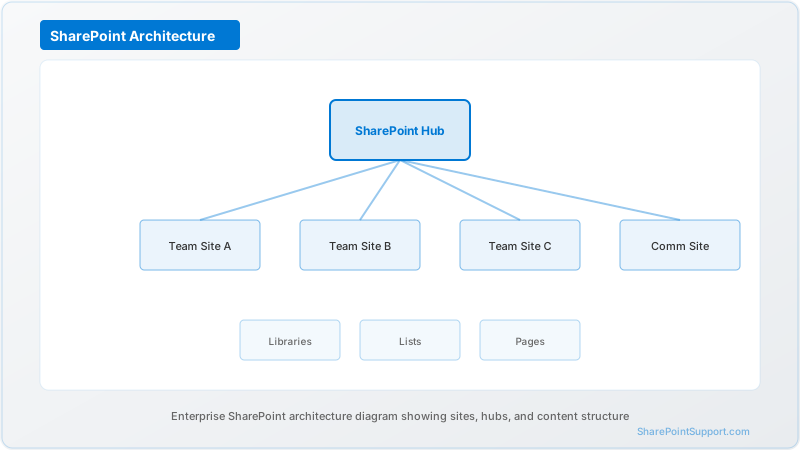
- Weeks 5 to 8: Design and tooling. Information architecture design, hub-and-spoke site map, migration tooling selection and configuration, workflow and forms remediation planning, Power Automate and Power Apps rebuild estimates.
- Weeks 9 to 12: Pilot. Two to three department pilots covering diverse content types. User acceptance testing. Permissions validation. Search parity testing.
- Weeks 13 to 22: Production migration waves. Six to eight waves, one per site collection or business unit, with validation after each wave.
- Weeks 23 to 26: Cutover, decommissioning, adoption, hypercare.
365-Day Track (Large Enterprise, 5,000+ Seats, Heavy Customization)
The right track for 5,000 to 50,000-seat estates, multiple geographies, heavy farm-solution customization, hybrid configurations, or regulated verticals (healthcare, finance, government).
- Months 1 to 2: Assessment, executive alignment, partner selection, program governance stand-up, budget approval, procurement of migration tooling licenses.
- Months 3 to 4: Target-state architecture. Information architecture. Governance framework. Sensitivity labels. Retention policies. Hub strategy. Multi-geo design if applicable.
- Months 5 to 6: Customization remediation. Rewrite farm solutions as SPFx, Power Apps, Power Automate, Azure Functions, or Microsoft Graph. Rebuild SharePoint Designer workflows in Power Automate. Migrate InfoPath to Power Apps.
- Month 7: Pilot. One full business unit including power users, executives, and regulated-content owners.
- Months 8 to 11: Production migration in 10 to 15 waves. Parallel operation with source. Progressive decommissioning of SP2016/SP2019 site collections as waves complete.
- Month 12: Final cutover, decommissioning, formal program close, retrospective.
If the 365-day track is your reality and you are not already in month 7, the honest recommendation is to upgrade your on-prem SP2016 or SP2019 farm to SharePoint Server Subscription Edition first to restore vendor support, then continue the cloud migration on the longer timeline without the July 14 pressure.
Concrete Risk Scenarios — HIPAA, SOC 2, ITAR
Running SharePoint Server 2016 or 2019 past July 14, 2026 creates specific, defensible audit findings in regulated environments. These are not hypotheticals.
HIPAA Scenario — Hospital System, 8,000 Users
A regional hospital system runs patient-facing referral coordination and clinical documentation on SharePoint 2019. The HIPAA Security Rule requires protection against malicious software (45 CFR 164.308(a)(5)(ii)(B)) and management of known vulnerabilities as part of the Risk Analysis and Risk Management requirements.
On July 15, 2026, the environment becomes materially out of compliance. On the next OCR audit or breach investigation, the unsupported server is cited as a control failure. In a worst-case breach scenario, the finding is cited in both the corrective action plan and the financial penalty calculation. Patient-data exposure through an unpatched SharePoint vulnerability has historically triggered eight-figure settlements.
SOC 2 Scenario — SaaS Platform, 1,200 Users
A B2B SaaS platform uses SharePoint 2016 as the internal knowledge base and audit-evidence repository. SOC 2 Common Criteria CC7.1 and CC7.2 require monitoring of vulnerabilities and timely remediation.
After July 14, 2026, the SOC 2 auditor issues a qualified opinion citing the inability to patch known vulnerabilities in the knowledge-management system. A qualified opinion on the SOC 2 Type II report is a material disclosure to existing enterprise customers. Customer procurement teams often require unqualified reports as a contractual condition, triggering renegotiation and potential revenue loss.
ITAR Scenario — Defense Contractor, 2,500 Users
A mid-tier defense contractor stores controlled technical data under ITAR jurisdiction in a SharePoint 2019 farm on a segregated network. ITAR requires adequate technical safeguards around controlled technical data, and the State Department's Directorate of Defense Trade Controls references NIST 800-171 and CMMC Level 2 controls in its enforcement posture.
NIST 800-171 requires timely patching (3.14.1) and protection against malicious code (3.14.2). After July 14, 2026, the farm cannot meet either control. A DCMA or third-party CMMC assessor flags the gap, which can suspend or downgrade the contractor's certification and disqualify the firm from active and future prime contracts. The commercial cost of a single lost prime contract dwarfs the cost of any migration.
Seat-Level Cost Models — 500, 2,000, 10,000 Seats
All figures are USD, represent market-rate estimates for a competent partner-led migration, and exclude Microsoft 365 license costs (which are incurred regardless of migration path). These are 2026 market rates observed on active projects.
500-Seat Migration (Single Region, Minimal Customization)
- Assessment and design: 25,000 to 45,000
- Migration tooling (ShareGate / Quest / AvePoint annual license, allocated): 15,000 to 25,000
- Partner-led migration services (waves plus validation): 60,000 to 110,000
- Customization remediation (SPFx, Power Automate): 15,000 to 40,000
- Change management and training: 10,000 to 20,000
- Hypercare (4 weeks post-cutover): 8,000 to 15,000
- Total: 133,000 to 255,000
- Per-seat cost: 266 to 510
2,000-Seat Migration (Multi-Department, Moderate Customization)
- Assessment and design: 45,000 to 80,000
- Migration tooling: 30,000 to 55,000
- Partner-led migration services: 150,000 to 290,000
- Customization remediation: 40,000 to 110,000
- Change management and training: 25,000 to 50,000
- Hypercare: 20,000 to 40,000
- Total: 310,000 to 625,000
- Per-seat cost: 155 to 312
10,000-Seat Migration (Multi-Geo, Heavy Customization, Regulated)
- Program management and assessment: 200,000 to 400,000
- Migration tooling (enterprise tier): 120,000 to 220,000
- Partner-led migration services (10 to 15 waves): 700,000 to 1,400,000
- Customization remediation (farm-solution rewrites): 300,000 to 800,000
- Governance, sensitivity labels, Purview alignment: 100,000 to 250,000
- Change management, training, adoption: 150,000 to 350,000
- Hypercare (12 weeks, multi-region): 80,000 to 180,000
- Total: 1,650,000 to 3,600,000
- Per-seat cost: 165 to 360
Cost drivers that move projects toward the high end: multi-geo tenants, heavy farm-solution code, InfoPath retirement, hybrid configurations, regulated-content handling (HIPAA, GCC-H, ITAR), tenant-to-tenant migration coupled with EOS migration, aggressive timelines under 90 days.
Cost levers that pull projects toward the low end: vanilla SharePoint deployments, out-of-the-box customizations only, single-region, early executive sponsorship, disciplined content-cleanup (ROT removal) before migration, willingness to accept a three-to-six-month post-deadline completion.
What To Do This Week
- Confirm executive sponsorship and a named program owner. Without both, nothing else matters. The sponsor's job in weeks one through four is unblocking decisions that would normally take months — budget, tooling procurement, partner selection, internal risk acceptance. A decision cadence that normally runs at monthly SteerCo pace has to compress to weekly.
- Initiate an assessment. A proper assessment takes 2 to 4 weeks — start this week, not after the next budget cycle. A budget cycle that consumes a month now is the difference between a planned migration and an emergency one.
- Decide your interim-state posture: full migration by July 14, partial migration plus interim SharePoint Subscription Edition, or SE-only upgrade with cloud migration on a longer track. Document the decision, the rationale, and the compliance stakeholders who signed off.
- Select a migration partner. Partner capacity in the final eight weeks before the deadline is already tightening. Every credible SharePoint migration practice in the US, UK, and EMEA region has published 2026-summer utilization near 95 percent. The partners with real capacity in week nine or ten will be the ones with shallow benches and junior staff.
- Communicate the deadline to every stakeholder. The forcing function only works if the organization knows the countdown is real. A weekly all-hands update with the countdown clock, the current wave in flight, and the next blocker on the critical path builds the organizational alignment that carries a migration through inevitable setbacks.
- Stand up a governance decision log. Every material migration decision gets recorded with date, owner, rationale, and stakeholder sign-off. This log becomes the auditable evidence trail that the program was executed with appropriate rigor, and it is invaluable six months later when someone asks why a specific taxonomy choice was made.
Where To Go Deeper
This pillar is the executive-level decision document. Four supporting articles cover the operational detail:
- SharePoint Server 2016 to Online Migration Checklist — 2026 Edition for the step-by-step wave-migration checklist our consultants use on every engagement.
- SharePoint Server 2019 Post-EOS Security Risk Assessment for the quantified risk model that justifies the migration budget to your CFO and CISO.
- SharePoint Server Migration Gotchas — The Common Mistakes That Kill Projects for the fifteen failure modes we see most often and how to avoid each.
- SharePoint Hybrid to Cloud — The Final Phase of the Hybrid Era for the hybrid-specific playbook covering UPA, taxonomy, search, and OneDrive cutover.
Every one of these supporting articles links back to this pillar. Together they form the complete migration decision stack for the July 14, 2026 deadline.
Frequently Asked Questions
What is the exact end-of-support date for SharePoint Server 2016 and 2019?
Both SharePoint Server 2016 and SharePoint Server 2019 reach end of extended support on July 14, 2026. After that date, Microsoft no longer issues security updates, bug fixes, time-zone updates, or paid assisted support.
Does SharePoint Subscription Edition share the same end-of-support date?
No. SharePoint Server Subscription Edition follows the Modern Lifecycle Policy and remains supported as long as you keep a current license and apply feature updates.
Can I keep running SharePoint 2016 or 2019 after July 14, 2026?
Technically yes, operationally no. The servers keep running, but with no security patches every newly-discovered CVE remains exploitable indefinitely. Running unsupported server software fails most compliance frameworks and increasingly voids cyber insurance.
Are extended security updates available for SharePoint 2016 or 2019?
No. Microsoft does not offer a paid Extended Security Updates program for SharePoint Server 2016 or 2019.
What is a realistic migration timeline for a 2,000-seat enterprise?
A typical 2,000-seat migration to SharePoint Online takes 16 to 24 weeks end-to-end — 4 weeks assessment, 2 weeks pilot, 8 to 14 weeks phased production, 2 to 4 weeks cutover.
How much should a 2,000-seat migration cost?
Budget 120 to 280 USD per seat for a standard 2,000-seat migration — roughly 240,000 to 560,000 USD total.
Which migration target is right — SharePoint Online, SharePoint Premium, or SharePoint Embedded?
SharePoint Online is the default for 90 to 95 percent of workloads. SharePoint Premium is an AI add-on on top of SharePoint Online. SharePoint Embedded is a developer-focused storage platform for custom apps.
What happens to custom SharePoint solutions?
Farm solutions must be rewritten using SPFx, Power Apps, Power Automate, Azure Functions, or Microsoft Graph. SharePoint Designer workflows rebuild in Power Automate. InfoPath forms replace with Power Apps.
How does the deadline affect HIPAA and SOC 2 compliance specifically?
HIPAA Security Rule 164.308 and SOC 2 CC7.1/CC7.2 both require vulnerability management and protection against malicious software. An unsupported server cannot satisfy either.
Is a hybrid SharePoint configuration still viable after July 2026?
Only if the on-premises side is SharePoint Server Subscription Edition. Hybrid with SP2016 or SP2019 on-prem becomes unsupported on the on-prem side after July 14, 2026.
What is the single biggest mistake teams make in the final twelve weeks?
Skipping the pilot. Under deadline pressure, teams jump from assessment to production migration without a validated pilot wave.
Can we get help from Microsoft directly on July 15, 2026?
Not for SharePoint 2016 or 2019. Microsoft Premier and Unified support cannot open break-fix tickets on these versions after the deadline.
Written by the SharePoint Support Team
Senior SharePoint Consultants | 25+ Years Microsoft Ecosystem Experience
Our senior SharePoint consultants bring deep expertise spanning 500+ enterprise migrations and compliance implementations across HIPAA, SOC 2, and FedRAMP environments. We cover SharePoint Online, Microsoft 365, migrations, Copilot readiness, and large-scale governance.
Expert SharePoint Services
Frequently Asked Questions
What is the exact end-of-support date for SharePoint Server 2016 and 2019?▼
Does SharePoint Subscription Edition share the same end-of-support date?▼
Can I keep running SharePoint 2016 or 2019 after July 14, 2026?▼
Are extended security updates (ESUs) available for SharePoint 2016 or 2019?▼
What is a realistic migration timeline for a 2,000-seat enterprise?▼
How much should a 2,000-seat migration cost?▼
Which migration target is right — SharePoint Online, SharePoint Premium, or SharePoint Embedded?▼
What happens to custom SharePoint solutions (WSPs, farm solutions, SharePoint Designer workflows)?▼
How does the end-of-support deadline affect HIPAA and SOC 2 compliance specifically?▼
Is a hybrid SharePoint configuration still viable after July 2026?▼
What is the single biggest mistake teams make in the final 12 weeks?▼
Can we get help from Microsoft directly on July 15, 2026?▼
Need Expert Help?
Our SharePoint consultants are ready to help you implement these strategies in your organization.
Continue Reading in Migration
SharePoint Migration Best Practices: 15 Expert...
Learn the proven migration strategies used by leading organizations to migrate to SharePoint Online without disruption.
MigrationTenant-to-Tenant Migration: Complete Planning Guide for M&A
Master the complexities of SharePoint tenant-to-tenant migrations during mergers, acquisitions, and divestitures with our comprehensive planning guide.
MigrationWorkflow Migration: SharePoint 2013 to Power Automate
Navigate the transition from legacy SharePoint 2013 workflows to Power Automate with this comprehensive migration guide covering assessment, planning, and implementation strategies.
MigrationMigrating from Google Workspace to SharePoint
Step-by-step guide for migrating from Google Drive, Docs, and Sites to SharePoint Online. Includes mapping, tools, and best practices.
MigrationSharePoint 2019 End of Life: Migration Guides (October 2026)
SharePoint Server 2019 reaches end of support on October 14, 2026. This guide covers your migration options, timeline, risks of staying on unsupported infrastructure, and how to plan a zero-downtime move to SharePoint Online.
MigrationSharePoint Migration Cost Guide: What Does It Really...
Comprehensive breakdown of SharePoint migration costs — from DIY approaches to full-service professional migrations. Includes cost factors, pricing ranges, ROI analysis, and how to avoid budget surprises.