The Checklist Every SharePoint 2016-to-Online Migration Needs
With SharePoint Server 2016 and 2019 hitting end of extended support on July 14, 2026, this checklist is the operational playbook that sits underneath the end-of-support pillar decision guide. If you have already made the decision to migrate to SharePoint Online, this page is the wave-by-wave workbook.
Every item here is something we verify on every engagement. Skipping any of them is a near-guaranteed source of migration pain.
Phase 1 — Pre-Migration Assessment (Weeks 1 to 4)
Content Inventory
- Enumerate all web applications, site collections, sub-sites, libraries, and lists on the source farm.
- Run SharePoint Migration Assessment Tool (SMAT) or equivalent scanner across the entire farm.
- Capture content volume per site collection (GB count) and file-count distribution (small-file vs. large-file profile).
- Identify large-item outliers (files over 15 GB, libraries with 5,000+ items per view).
- Export a full list of content types, site columns, and managed-metadata term-store groups.
- Document custom web parts, app parts, and any branding or master-page customizations in use.
Permission and Sharing Audit
- Export the full permission map for every site collection (SharePoint groups, AD groups, direct user grants).
- Flag broken permission inheritance at the list, library, folder, and item level.
- Identify orphaned AD groups and orphaned user accounts (former employees).
- Inventory external sharing — if SharePoint 2016 exposes any content to external users via AAD B2B or anonymous links, capture the full list before migration.
- Map every source SharePoint group to a destination Azure AD security group.
Customization Inventory
- List every farm solution (.wsp) installed, with vendor, version, and business owner.
- List every sandboxed solution (legacy, should be retired).
- Export every SharePoint Designer 2013 workflow with its associated list/library.
- List every InfoPath form template, with the form's host list or library.
- Document every custom timer job, event receiver, and remote event receiver.
- For each customization, assign one of four dispositions: retire, rebuild in SPFx/Power Apps/Power Automate, replace with out-of-the-box SharePoint Online feature, or keep on-prem (triggers SE upgrade as a prerequisite).
Governance and Compliance Review
- Inventory every sensitivity classification currently applied (information-rights-management templates, site classifications).
- List every retention policy currently enforced on the source farm.
- Identify regulated content scopes (HIPAA PHI, PCI cardholder data, ITAR technical data, SOX financial records).
- Define the destination Microsoft Purview label architecture for those scopes before migration waves begin.
Phase 2 — Target-State Design (Weeks 3 to 6, overlapping with Phase 1)
- Select the target tenant (commercial, GCC, GCC-H, DoD) based on compliance scope.
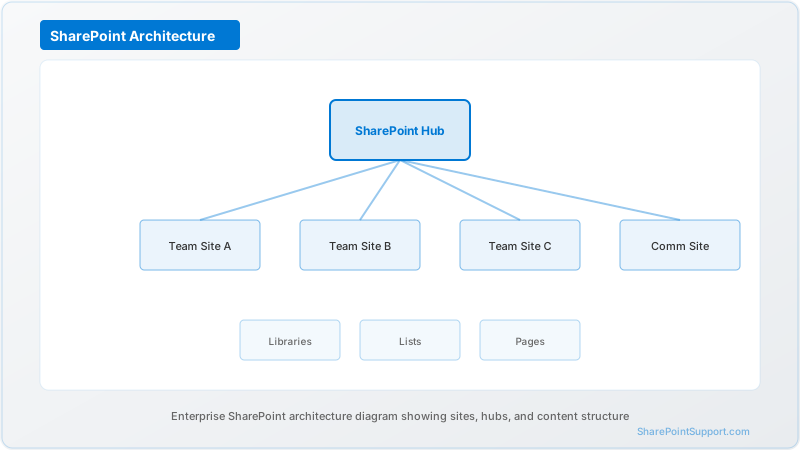
- Design the destination information architecture: hub sites, spoke team sites, communication sites, OneDrive boundaries.
- Design the Azure AD security group model that will back SharePoint Online permissions.
- Pre-provision the Managed Metadata term store in the destination tenant to match source term groups.
- Configure Microsoft Purview sensitivity labels and retention policies in the destination tenant.
- Configure the destination tenant's sharing policies (default link type, external user controls).
- Enable SharePoint Admin settings: site-creation model, site-storage limits, app catalog, site design templates.
Phase 3 — Tooling Selection and Configuration (Weeks 4 to 6)
- Select primary migration tool (ShareGate, AvePoint FLY, Quest On Demand Migration, or SPMT for simple estates).
- Procure and install tool licenses for the migration window plus 30-day buffer.
- Configure the migration tool with source-farm credentials and destination-tenant credentials.
- Define the tool's permission-mapping rules (source SP groups to destination AAD groups).
- Define content-filter rules (exclude ROT, archived sites, My Sites of ex-employees).
- Configure a dedicated migration-service account with least-privilege rights on both environments.
- Provision a migration staging network or jump host with adequate bandwidth to the destination tenant.
Phase 4 — ROT Cleanup (Weeks 5 to 8)
Redundant, obsolete, trivial (ROT) cleanup is the single highest-ROI activity in the entire migration. Typical reduction ranges: 20 to 40 percent of raw source volume.
- Identify and archive or delete sites with no user activity in the last 24 months.
- Identify and delete files older than 7 years with no access in 24 months (unless under retention).
- Identify and delete duplicate files across the farm (use a dedupe scanner).
- Retire My Sites of former employees (check legal hold status first).
- Purge recycle bins after confirming there is nothing in legal hold.
- Re-run the inventory after cleanup to confirm the new baseline.
Phase 5 — Pilot Wave (Weeks 7 to 10)
- Select the pilot scope: one department, 30 to 100 users, mixed content types.
- Announce the pilot to the pilot population 2 weeks before migration.
- Run the pilot migration over a weekend (or a defined freeze window).
- Validate: site structure, document counts, metadata fidelity, permission parity, search results, workflow continuity.
- Execute a formal UAT script with pilot users — minimum 2 hours of guided testing per user.
- Capture every discrepancy and triage into must-fix before production waves vs. acceptable-known-issue.
- Sign off pilot with executive sponsor before proceeding to production.
Phase 6 — Production Waves (Weeks 11 to 22)
- Define the wave schedule — typically 1 department or business unit per 2-week wave.
- For each wave: 2 weeks out, communication to users. 1 week out, freeze window defined. Weekend of wave, source goes read-only, migration runs, validation runs Sunday, users return Monday to destination.
- For each wave: run automated post-migration validation comparing source vs. destination counts and checksums.
- For each wave: dedicated hypercare Slack/Teams channel staffed Monday and Tuesday post-wave.
- Track wave completion and cumulative migration progress on a SteerCo dashboard.
Phase 7 — Cutover, Decommission, and Hypercare (Weeks 23 to 26)
- Final delta migration for the last wave.
- DNS and bookmark redirects from source URLs to destination URLs (via IIS redirect rules or a redirector SPFx extension).
- Decommission source farm: stop timer jobs, unmount content databases, retire servers per IT asset policy (ensure backups and legal holds are preserved).
- Close out program governance: retrospective, benefits realization, documentation handoff.
- Maintain dedicated hypercare team for minimum 4 weeks (12 weeks for large enterprise).
Common Wave Patterns by Organization Shape
Three wave-design patterns emerge repeatedly in mid-market and enterprise migrations.
Pattern A: Department-Aligned Waves
Used by: functionally-organized companies, 500 to 3,000 seats, single geography.
Each wave is one department or business function. HR in week 11. Finance in week 13. Sales in week 15. Engineering in week 17. And so on. The advantage is clean user communication ("Your migration weekend is the 3rd of June") and self-contained scope per wave. The disadvantage is that cross-department shared content (HR policies used by every department, Finance templates accessed company-wide) ends up split across multiple waves with access-continuity complexity in between.
Mitigation: identify cross-department shared content in assessment, migrate it in an early wave ("shared services wave"), and point remaining departments at the already-migrated destination until their own wave lands.
Pattern B: Site-Collection Waves
Used by: site-collection-centric organizations, 1,000 to 10,000 seats, heavy project-based work.
Each wave migrates a logical group of site collections — a program area, a legal matter group, a research cluster. Good when site-collection boundaries match actual collaboration boundaries and when users mostly work inside a single site collection. Disadvantage: permission and user-account continuity across collections can be more complex.
Pattern C: Geo-Aligned Waves
Used by: multinational enterprises, 5,000+ seats, multi-geo.
Each wave migrates one geographic region. EMEA in the first wave window. APAC second. Americas third. Advantage: aligns with support-window time zones and regional compliance stakeholders. Disadvantage: multinational teams span regions and need careful identity and guest-access handling to avoid losing access to each other's content mid-migration.
Validation Scripts Every Wave Needs
Four automated validation scripts run in the hours immediately after each wave:
- Count validation. Compare source item counts per library against destination item counts. Flag any discrepancy over 0.5 percent for manual investigation.
- Permission validation. For each migrated site, compare the source permission map to the destination permission map. Flag any user or group grant present in source but missing in destination.
- Metadata validation. For each migrated library, validate that managed-metadata columns populated correctly. Flag any column with more than 5 percent empty values post-migration if the source had less than 5 percent.
- Search-index validation. After the destination search index warms up (typically 4 to 24 hours), run a pre-defined set of representative user queries and confirm the expected content appears in the results.
All four scripts should be baked into the migration tooling output or layered on via PowerShell PnP scripts that run as part of the wave close-out checklist. Skipping post-wave validation is the single most common source of post-migration tickets that take weeks to resolve, and the evidence these scripts produce is the exact audit artifact compliance teams will request months later.
Sign-Off Gates Between Phases
Each phase in the checklist above ends with a formal sign-off gate. Without sign-off, do not proceed. This is a discipline that extends overall timeline slightly but prevents a failed migration far more reliably than any technical countermeasure.
- Phase 1 sign-off: executive sponsor signs the assessment findings and approves the target-state design direction.
- Phase 2 sign-off: architecture review board signs the destination tenant design, information architecture, and sensitivity-label taxonomy.
- Phase 3 sign-off: tooling and tooling-configuration validated on a non-production scope, procurement complete, service accounts provisioned.
- Phase 4 sign-off: content owners acknowledge ROT cleanup plan and the archive-retention policy.
- Phase 5 sign-off: pilot UAT signed by pilot-department head, executive sponsor, and compliance officer.
- Phase 6 sign-off: after each production wave, a named wave-owner signs the post-wave validation report.
- Phase 7 sign-off: program-close document signed by sponsor, compliance officer, and IT asset manager.
Written sign-offs become the program's audit trail and the basis for next-migration lessons-learned.
Related Reading
This checklist pairs with three sibling articles from the same series:
- SharePoint Server 2019 Post-EOS Security Risk Assessment — quantified post-deadline risk model.
- SharePoint Server Migration Gotchas — The Common Mistakes That Kill Projects — failure-mode catalog.
- SharePoint Hybrid to Cloud — The Final Phase of the Hybrid Era — hybrid-specific cutover.
Return to the pillar: SharePoint Server 2016 and 2019 End of Support — July 14, 2026 Decision Guide.
Frequently Asked Questions
What is the first technical step in a SharePoint 2016 to Online migration?
A full content inventory of the source farm — site collections, sub-sites, libraries, lists, content types, permissions, customizations.
Do I need the SharePoint Migration Tool (SPMT) or a third-party tool?
SPMT is free and works for simple lift-and-shift. Third-party tools add permission remapping, metadata fidelity, delta migrations, and better error handling.
How long should the pilot wave take?
Plan 2 to 3 weeks — one representative department, mixed content types, at least one power user, one executive, one regulated-content scenario.
Should I migrate permissions as-is or redesign during migration?
Redesign. A clean-start model using Azure AD security groups improves long-term governance significantly.
How do I handle the final delta migration and cutover?
Freeze source 2 to 3 days before cutover. Run final delta migration. Validate counts and checksums. Flip DNS/redirects, monitor search warm-up, staff hypercare for 72 hours.
What content should I explicitly NOT migrate?
Do not migrate ROT content. Typical reductions run 20 to 40 percent. Archive or delete old content, decommissioned sites, orphaned My Sites, and duplicates.
What is the biggest metadata pitfall in SP2016-to-Online migrations?
Managed-metadata term-store mismatches. Always pre-provision the destination term store.
How do I deal with custom SharePoint 2016 master pages and branded site collections?
They cannot migrate. Rebuild branding as an SPFx Application Customizer extension. Plan 2 to 4 weeks for branding remediation.
Written by the SharePoint Support Team
Senior SharePoint Consultants | 25+ Years Microsoft Ecosystem Experience
Our senior SharePoint consultants bring deep expertise spanning 500+ enterprise migrations and compliance implementations across HIPAA, SOC 2, and FedRAMP environments. We cover SharePoint Online, Microsoft 365, migrations, Copilot readiness, and large-scale governance.
Expert SharePoint Services
Frequently Asked Questions
What is the first technical step in a SharePoint 2016 to Online migration?▼
Do I need the SharePoint Migration Tool (SPMT) or a third-party tool?▼
How long should the pilot wave take?▼
Should I migrate permissions as-is or redesign during migration?▼
How do I handle the final delta migration and cutover?▼
What content should I explicitly NOT migrate?▼
What is the biggest metadata pitfall in SP2016-to-Online migrations?▼
How do I deal with custom SharePoint 2016 master pages and branded site collections?▼
Need Expert Help?
Our SharePoint consultants are ready to help you implement these strategies in your organization.
Continue Reading in Migration
SharePoint Migration Best Practices: 15 Expert...
Learn the proven migration strategies used by leading organizations to migrate to SharePoint Online without disruption.
MigrationTenant-to-Tenant Migration: Complete Planning Guide for M&A
Master the complexities of SharePoint tenant-to-tenant migrations during mergers, acquisitions, and divestitures with our comprehensive planning guide.
MigrationWorkflow Migration: SharePoint 2013 to Power Automate
Navigate the transition from legacy SharePoint 2013 workflows to Power Automate with this comprehensive migration guide covering assessment, planning, and implementation strategies.
MigrationMigrating from Google Workspace to SharePoint
Step-by-step guide for migrating from Google Drive, Docs, and Sites to SharePoint Online. Includes mapping, tools, and best practices.
MigrationSharePoint 2019 End of Life: Migration Guides (October 2026)
SharePoint Server 2019 reaches end of support on October 14, 2026. This guide covers your migration options, timeline, risks of staying on unsupported infrastructure, and how to plan a zero-downtime move to SharePoint Online.
MigrationSharePoint Migration Cost Guide: What Does It Really...
Comprehensive breakdown of SharePoint migration costs — from DIY approaches to full-service professional migrations. Includes cost factors, pricing ranges, ROI analysis, and how to avoid budget surprises.