Everyone quotes 5,000. Almost nobody knows what it means.
The SharePoint list view threshold has been 5,000 items since SharePoint 2010. It is the most-cited number in the platform and one of the most misunderstood, because the overwhelming majority of what gets written about it restates a Microsoft documentation page without answering the question that actually matters:
In a real enterprise tenant, what fails first?
It is usually not the item count. Here are the numbers that matter, followed by what genuinely breaks.
---
The current limits, accurately
| Limit | Value | Type |
|---|---|---|
| List view threshold | 5,000 items | Hard, not adjustable in SharePoint Online |
| Items per list or library | 30 million | Hard ceiling |
| Single file upload | 250 GB | Hard ceiling |
| Lists and libraries per site | 2,000 | Recommendation |
| Subsites per site | 2,000 | Recommendation |
| Base storage pool | 1 TB + 10 GB per licensed user | Allocation |
Two clarifications that resolve most of the confusion:
The 5,000 threshold is not a storage limit. It governs how many items a single view operation may evaluate at once. You can store 30 million items in a list. You simply cannot ask the service to evaluate more than 5,000 in one unindexed pass.
You cannot raise it in SharePoint Online. On-premises, a farm administrator can adjust it. In SharePoint Online it is fixed. Every article suggesting otherwise is either about on-prem or is wrong.
---
Why the threshold is rarely the real problem
The threshold is a limit on unindexed evaluation, not on list size. Index the columns you filter on, build views that filter on indexed columns, and the threshold recedes as a practical constraint — properly indexed views serve well past the raw 5,000 figure.
The teams that get hurt by it are not the ones with big lists. They are the ones with big lists and no indexing strategy, where views were built by dragging columns around until something looked right.
Which means the threshold is best understood as a symptom. Hitting it tells you nobody made a deliberate decision about how this list would be queried. That underlying absence is what causes the other failures below — the threshold is just the first one loud enough to notice.
---
What actually breaks first
1. Throttling under programmatic load
The most common real-world failure in large tenants, and it has nothing to do with view thresholds.
SharePoint Online throttles aggressively when a client generates sustained request volume. A migration tool, a reporting script, a nightly sync job, or an integration that walks a large library will get throttled, and the symptoms are miserable to diagnose: intermittent failures, partial results, jobs that succeed in test and fail at production volume, errors that vanish on retry.
Nothing about this appears in a limits table. It is the single most likely thing to take down a large-tenant operation.
2. Copilot and agents querying lists nobody designed for machines
This is what changed in 2026.
Every prior generation of list-limit guidance assumed a human sitting at a browser looking at a filtered view. That assumption is now wrong. Copilot and SharePoint agents query your lists programmatically, at machine speed, with query shapes nobody anticipated when the view was built.
A list that has been fine for years — because humans only ever open a filtered view of the last 90 days — can start returning throttled, truncated, or incomplete results the moment an agent begins traversing it. And the failure mode is characteristically bad: the agent does not error. It answers from whatever subset it managed to retrieve, with full confidence.
List architecture became an AI-reliability concern. If you are deploying Copilot or agents over operational lists, the indexing and partitioning decisions you deferred for years are now load-bearing.
3. Power Automate flows on large collections
Flows that enumerate list items hit pagination defaults, action limits, and timeouts. The dangerous variant is not the flow that fails — it is the flow that silently processes only the first page and reports success. Approval routing that quietly skips items, notification flows that cover a fraction of what they claim.
If you have flows over lists that have grown substantially since the flow was written, they are worth auditing specifically for this.
4. Sync clients on very large libraries
Users syncing libraries with very large item counts see slow initial sync, high local resource use, and conflict storms. The library is within every documented limit. The endpoint is not coping.
5. Permission scope sprawl
Broken inheritance at the item level in large lists creates unique permission scopes, which degrade performance in ways that look like general slowness and never point at permissions as the cause. This one compounds quietly for years, and it is the hardest to unwind after the fact — which is also why it now matters twice, since oversharing is exactly what Copilot makes discoverable.
6. The recommendations you can exceed without noticing
2,000 lists and libraries per site is a recommendation, not a block. You can exceed it. Performance degrades gradually and nothing tells you that you crossed a line. Soft limits are more dangerous than hard ones precisely because there is no error to search for.
---
Designing so none of this happens
Index deliberately, at creation. Every column you filter, sort, or group on gets an index — decided when the list is designed, not after the first threshold error. This is the highest-leverage habit in the entire discipline.
Build views that filter on indexed columns. A view that returns a bounded, indexed slice performs consistently regardless of underlying list size.
Partition by time or entity when growth is unbounded. Transaction logs, ticket histories, telemetry — anything that grows forever should be partitioned from the start. Retrofitting partitioning onto a 4-million-item list is a migration project.
Use metadata, never folder nesting. Deep folder hierarchies compound every problem above and solve none of them.
Treat programmatic access as a design input. If a list will be read by flows, integrations, or agents, design for that access pattern explicitly — including how it paginates and what happens when it is throttled.
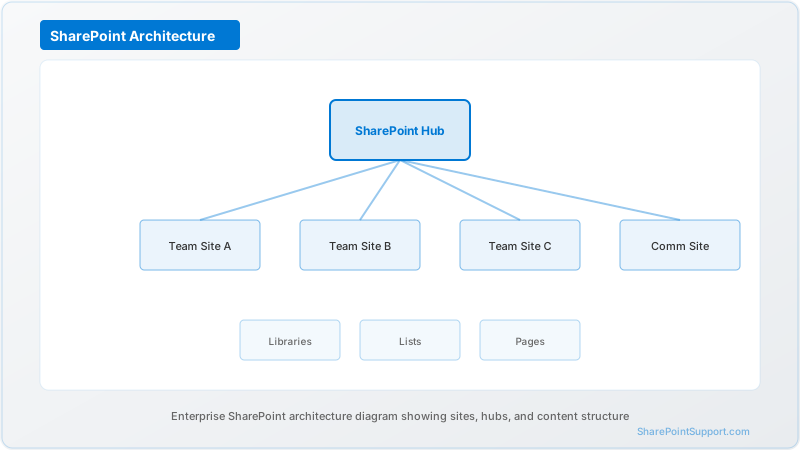
Flatten your site architecture. Hub sites over subsite nesting. The 2,000-subsite recommendation is mostly academic in modern architecture, and if you are anywhere near it you are on a legacy pattern worth revisiting.
---
A 20-minute diagnostic
Run this against any list you suspect:
- Item count — over 5,000? Over 100,000? Growing without bound?
- Indexed columns — do they match what your views and flows actually filter on?
- Unique permissions — how many items have broken inheritance?
- Flows — do any enumerate this list, and were they written when it was smaller?
- Programmatic readers — integrations, agents, Copilot. Was this list designed for them?
- Growth rate — at current pace, where is it in 18 months?
- Sync — is anyone syncing this library locally?
Questions 4, 5, and 7 are where large tenants find problems they did not know they had. Question 5 did not exist two years ago.
---
The honest summary
The 5,000-item threshold gets the attention because it produces a visible, immediate error with a memorable number attached. It is genuinely the least interesting limit in SharePoint Online, and it is trivially avoided by indexing.
What takes down large tenants is throttling under programmatic load, flows that silently truncate, permission sprawl that degrades everything invisibly, and — newly, and increasingly — agents querying lists that were architected on the assumption a human would be doing the looking.
If you are deploying Copilot or agents across operational data, the list architecture decisions you have been deferring stopped being technical debt and became a correctness problem.
---
Hitting thresholds, throttling, or unexplained list performance problems? See SharePoint Consulting or SharePoint Support, or get in touch — a list architecture review is considerably cheaper than a failed rollout.
Sources
Written by the SharePoint Support Team
Senior SharePoint Consultants | 25+ Years Microsoft Ecosystem Experience
Our senior SharePoint consultants bring deep expertise spanning 500+ enterprise migrations and compliance implementations across HIPAA, SOC 2, and FedRAMP environments. We cover SharePoint Online, Microsoft 365, migrations, Copilot readiness, and large-scale governance.
Expert SharePoint Services
Frequently Asked Questions
Can the 5,000-item list view threshold be raised in SharePoint Online?▼
How many items can a SharePoint list actually hold?▼
What is the maximum file size I can upload to SharePoint Online?▼
How many lists and subsites should a single SharePoint site have?▼
Do Copilot and SharePoint agents change how limits affect me?▼
What actually breaks first in a large SharePoint tenant?▼
Need Expert Help?
Our SharePoint consultants are ready to help you implement these strategies in your organization.
Continue Reading in Architecture
SharePoint Site Collections: Best Practices
Understand SharePoint site collection architecture with best practices for planning, creating, and managing site collections in your Microsoft 365 environment.
ArchitectureSharePoint Information Architecture Guide
Design a scalable SharePoint information architecture with hub sites, metadata taxonomy, navigation patterns, and governance frameworks that serve enterprise organizations for years.
ArchitectureSharePoint Hub Sites: Architecture Guide for 2026
Design and implement SharePoint hub sites that unify navigation, branding, search, and governance across your enterprise. Covers hub planning, association strategies, and real-world architecture patterns.
ArchitectureSharePoint Hub Sites at Scale: 500+ Sites
Hub sites work beautifully for 20 sites and collapse at 500. A proven architecture, governance, and automation model for large enterprises in 2026.
ArchitecturePower Pages vs SharePoint Sites: When to Use Each
Power Pages and SharePoint Communication Sites both publish content, but they solve different problems. A decision framework for choosing the right platform.
ArchitectureTeams + SharePoint + OneDrive Storage Architecture
Teams, SharePoint, and OneDrive each have distinct storage models that interact in subtle ways. A unified architecture reference for enterprise platform owners.