The phrase "you are a site owner now" arrives in the inbox with almost no warning. Two hours later the same person is being asked why an external vendor can see a folder called *Board Materials*, why 12 GB of duplicate PDFs appeared last month, and why the search bar returns nothing useful. Site ownership is not a certificate — it is a recurring operational job. This 30-item checklist is what we hand new site owners on day one, and what we grade against every quarter during our SharePoint consulting engagements.
Why site owners fail (and why it is rarely their fault)
Most site owners inherit a site with no documentation, no audit history, and no clear boundary between what they can fix and what belongs to the tenant admin. Governance debt then compounds: the owner is blamed for a permission incident that was seeded three org restructures ago. The fix is not more training decks. The fix is a written checklist, a written cadence, and a written escalation path — the three artifacts most tenants do not have.
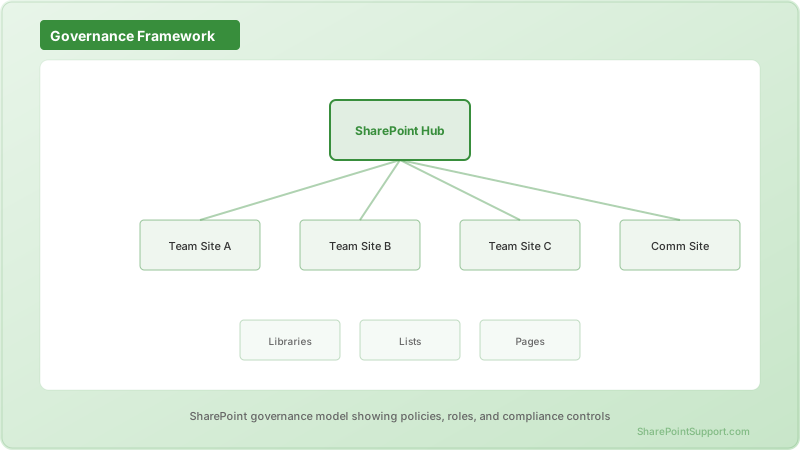
We group the 30 items into five categories: Access, Content Lifecycle, Compliance, Onboarding & Offboarding, and Health. Each item has an owner, a frequency, and an evidence trail so an auditor can see it was performed.
Category 1: Access (items 1-8)
Access is the single largest source of incidents on any modern SharePoint site. If you only get one category right this year, get this one.
| # | Item | Cadence | Evidence |
|---|------|---------|----------|
| 1 | Review Owners group membership | Monthly | Export of group members with dates |
| 2 | Review Members and Visitors groups | Monthly | Group export + delta vs prior month |
| 3 | Audit direct-permission grants (broken inheritance) | Quarterly | Report of unique permissions |
| 4 | Review external sharing links (Anyone, Specific people, Existing guests) | Weekly | Sharing report export |
| 5 | Verify sensitivity label on the site matches its stated purpose | Quarterly | Screenshot of site info panel |
| 6 | Confirm site-level guest access matches tenant policy | Quarterly | Site sharing settings capture |
| 7 | Review "Access requests" queue and resolve or reject stale requests | Weekly | Zero-item screenshot |
| 8 | Rotate any shared credentials, service accounts or scripted app registrations touching the site | Quarterly | Rotation log entry |
Two of these are quietly the highest risk: item 4 (external links) and item 3 (unique permissions). We regularly find sites where a single 2022 "share with a specific person" is still active for someone who left the client four employers ago. A monthly review takes ten minutes. Skipping it costs a compliance finding.
For the boundary of what a site owner can do vs must escalate, see the official site owner permission management guide.
Category 2: Content Lifecycle (items 9-15)
Content grows silently until a quota alert or a legal hold changes the conversation.
- 9. Confirm the site's retention policy is applied and check the Applied Retention Policies list quarterly.
- 10. Review large files (>100 MB) monthly — one runaway video export can consume a month of storage growth.
- 11. Check version-history configuration on high-churn libraries. Default is 500 major versions; for a 40 MB PowerPoint deck edited multiple times a day, that is 20 GB per file per year.
- 12. Archive completed project sites using the built-in Archive feature or a Purview policy — do not leave them as live sites.
- 13. Review the Recycle Bin (both stages) monthly and empty items past their business need.
- 14. Confirm content types are still relevant — an unused content type is a signal the taxonomy has drifted from real work.
- 15. Run a stale-content report (last modified > 24 months) and either archive, delete or refresh.
A worked example we use often: a client's HR site had version history at *unlimited* on a 60 GB "policies" library. Reducing to 50 major versions and running the version-cleanup timer reclaimed 41 GB in a single week without losing a single business-relevant version. Storage remediation almost always lives here, not in "buy more quota."
Category 3: Compliance (items 16-22)
Compliance items are the ones auditors ask about, and the ones site owners are most often unprepared for.
- 16. Confirm the sensitivity label applied to the site and that it propagates to Teams, Groups and OneDrive attachments where applicable.
- 17. Verify DLP policy coverage — if the site holds regulated data, at least one DLP policy should match its content types.
- 18. Confirm eDiscovery holds are documented — site owners should not delete content on a hold. Escalate to Legal if unsure.
- 19. Review audit log settings and confirm Purview is capturing site-level events (SharePointFileOperation, SharingSet, PermissionModified).
- 20. Check that guest expiration is enabled at the tenant level (site owner surfaces this to the tenant admin — see escalation runbook below).
- 21. Document the site's data classification in a one-page site profile stored inside the site itself.
- 22. Confirm records management is enabled for libraries where regulated content lives (e.g., contracts, HR records).
If your organization is subject to industry-specific regulation, coordinate with our document management team on labeling scheme design before rolling this out.
Category 4: Onboarding & Offboarding (items 23-27)
The most common security incident we investigate on modern SharePoint is a departed employee retaining access to a "shared with specific people" link. This category exists to make that impossible.
- 23. New joiners — add to the correct group (Members, Visitors), never as a direct permission on the site or a subsite.
- 24. Role changes — remove from prior groups the same day the role changes, then add to the new group.
- 25. Leavers — confirm the leaver is removed from all site groups, all "specific people" shares, and all guest links, within one business day of the offboarding ticket.
- 26. Vendor and contractor cycles — set a review date, a business owner, and an automatic expiration if the tenant supports it.
- 27. External guest lifecycle — quarterly guest audit, disable any guest whose sponsor has left, remove any guest with no activity for 180 days.
We build these into the client HRIS integration where possible. When that is not available, a quarterly export from Microsoft Entra ID cross-referenced with SharePoint group membership will catch the drift.
Category 5: Health (items 28-30)
The last three items are the ones that keep the site usable.
- 28. Homepage health — headings render, imagery loads, no orphaned news posts pinned from three years ago. A stale homepage is why users abandon the site and start emailing attachments again.
- 29. Search relevance — quarterly, run five common queries a user would run on this site and record whether the top 3 results are correct. If not, escalate to the search admin (see the runbook below).
- 30. Analytics review — check Site Usage monthly. If unique visitors trend below 5 per month for two consecutive quarters, either promote the site, retire it, or merge it into a hub.
For homepage and navigation guidance, the communication site management guide covers the mechanics.
RACI: who does what
The most common source of governance failure is not a missing checklist item — it is confusion over who owns it.
| Task Family | Site Owner | Site Collection Admin | Tenant Admin | Compliance / Legal |
|-------------|:----------:|:----:|:------------:|:------------------:|
| Adjust group membership | R | A | I | I |
| Break/repair permission inheritance | R | A | I | C |
| Create/rename subsites and libraries | R | A | I | I |
| Change site-level sharing settings | R | A | C | I |
| Change tenant-level sharing/guest policy | I | I | R/A | C |
| Apply retention labels | R | C | I | A |
| Configure DLP policy scope | I | I | R | A |
| Run an eDiscovery hold | I | I | C | R/A |
| Search schema changes (managed properties) | I | C | R/A | I |
| Storage quota changes | I | I | R/A | I |
| Site archive/deletion | R | A | C | C |
R = Responsible, A = Accountable, C = Consulted, I = Informed.
Escalation runbook: what site owners CANNOT resolve
Site owners often waste hours trying to fix things that only the tenant admin can. This is the boundary we teach.
- Open a tenant ticket for: search index freshness across sites, tenant-wide sharing settings, guest access policies, DLP policy scope, storage pool tuning, and any managed metadata term-store change that spans multiple sites.
- Open a compliance ticket for: retention label creation, eDiscovery hold placement, sensitivity label taxonomy changes, and DLP false-positive tuning.
- Handle at the site level: group memberships, unique permissions, sharing links from your site, sensitivity label application to files (not creation), site navigation, homepage content, list/library configuration, and content type application (not creation of enterprise-wide types).
If your team needs help drawing this boundary formally for the whole tenant, our SharePoint support practice runs governance workshops that produce a written runbook per environment.
Quarterly cadence at a glance
- Weekly: items 4, 7 (external links, access requests).
- Monthly: items 1, 2, 10, 13, 28, 30.
- Quarterly: items 3, 5, 6, 8, 9, 11, 14, 15, 16, 17, 20, 22, 27, 29.
- Ad hoc: items 12, 18, 19, 21, 23-26 (event-driven).
Print this. Post it. Track it in a governance list on the site itself. If you can hand your successor a filled-in copy of this checklist from the last four quarters, you have done the job.
FAQ
Expert help from our SharePoint consultants
Site ownership only scales when governance is written down. If your team is inheriting sprawling sites, unclear ownership, or a tenant with no cadence, our SharePoint consulting team runs one-day governance workshops that produce the RACI, the cadence, and the escalation runbook for your environment. Reach out via our contact page and we will scope a session.
Written by the SharePoint Support Team
Senior SharePoint Consultants | 25+ Years Microsoft Ecosystem Experience
Our senior SharePoint consultants bring deep expertise spanning 500+ enterprise migrations and compliance implementations across HIPAA, SOC 2, and FedRAMP environments. We cover SharePoint Online, Microsoft 365, migrations, Copilot readiness, and large-scale governance.
Expert SharePoint Services
Frequently Asked Questions
What is the difference between a SharePoint site owner and a site collection administrator?▼
How often should a SharePoint site owner audit external sharing?▼
Can a site owner delete or restore items during an eDiscovery hold?▼
What is the correct escalation path if SharePoint search is not returning current results?▼
How do you handle a site owner who leaves the company suddenly?▼
Should site owners have direct access to modify the term store?▼
What evidence should a site owner keep for a governance audit?▼
Need Expert Help?
Our SharePoint consultants are ready to help you implement these strategies in your organization.
Continue Reading in Governance
Your AI Agents Now Have Mailboxes. Your Permission Model Does Not Know That.
Copilot Studio agents can now hold their own Microsoft 365 accounts — mailbox, Teams presence, Office access, governed as first-class identities. Every SharePoint permission construct you own was designed for humans who get hired and leave. There is no HR process for an agent.
GovernanceBuilding an Enterprise SharePoint Governance Framework...
Create a governance framework that balances security with productivity, enabling self-service while maintaining control.
GovernanceMicrosoft 365 Archive: Guide to Long-term Content...
Develop a comprehensive archival strategy for Microsoft 365 that balances compliance requirements, storage costs, and content accessibility.
GovernanceInformation Architecture Planning for SharePoint Success
Master the art of SharePoint information architecture with proven planning frameworks, taxonomy design principles, and navigation strategies that scale across the enterprise.
GovernanceSharePoint Term Store and Taxonomy Guide
Master the SharePoint Term Store with this comprehensive guide covering taxonomy design, managed metadata implementation, and enterprise content classification strategies.
GovernanceSharePoint Site Templates: Enterprise Guide
Learn how to create, manage, and deploy SharePoint site templates to ensure consistent site provisioning, branding, and governance across your organization.